











One of the biggest Canva “secrets” is that you are not stuck with only the fonts that come preloaded. If you have Canva Pro, you can upload fonts you have downloaded or purchased online and use them in your brand designs.
Even better, you can add them to your Brand Kit so they’re ready whenever you start a new design.
Table of Contents
- Step 1: Make sure you have Canva Pro (this is required)
- Step 2: Upload your font in Brand Kit (the best place for business)
- Step 3: Choose fonts from credible sources (free and paid)
- Step 4: Confirm the commercial license before you use the font
- Step 5: Upload the font to Canva (and confirm ownership)
- Step 6: Add the font to your designs (so it shows up automatically)
- Step 7: Use an alternate upload method (upload multiple files at once)
- Step 8: Use fonts strategically (not just because you can)
- Wrapping up: your font system should be both stylish and safe
Step 1: Make sure you have Canva Pro (this is required)
Uploading your own fonts into Canva is a Canva Pro feature. If you’re using the free plan, you won’t see the upload options.
If you’re a business owner, Canva Pro is often a smarter spend than hiring someone just to create basic graphics again and again. Once you have Pro, you can build a consistent brand system you can reuse.
Step 2: Upload your font in Brand Kit (the best place for business)
The easiest way to keep your fonts organized is through Brand Kit.
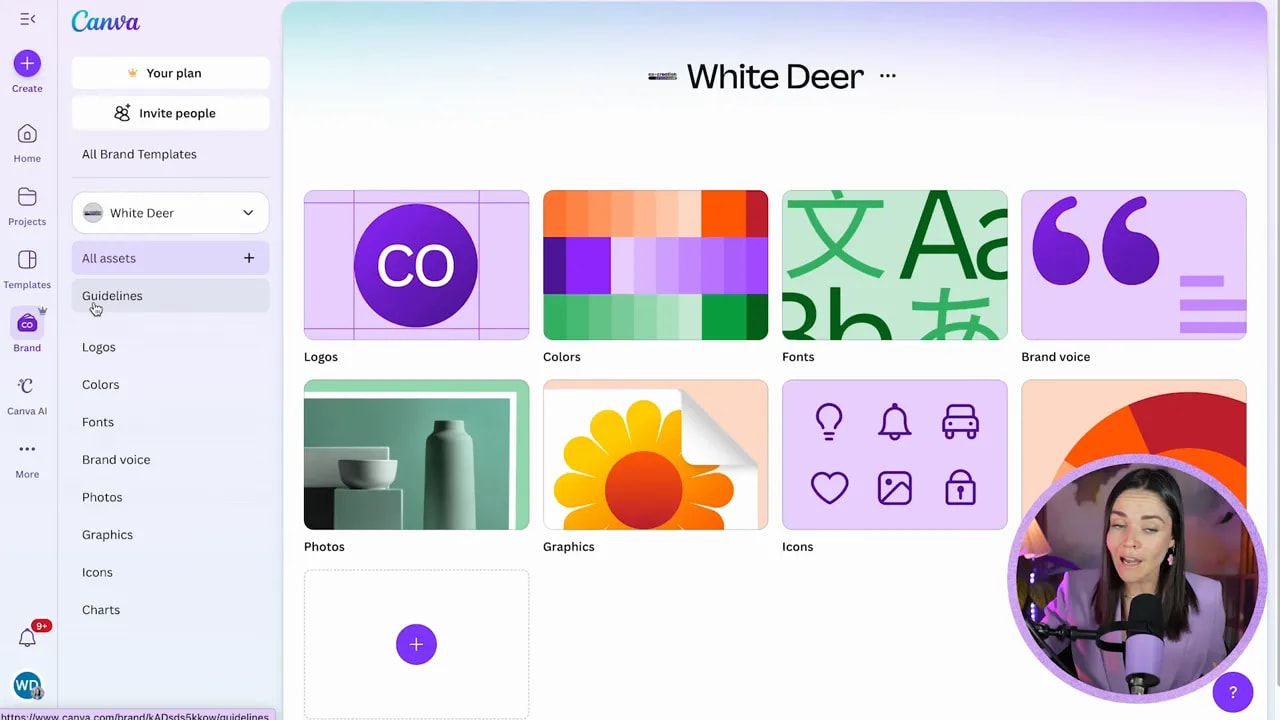
1. Open Canva and go to the left-hand panel where you’ll find Brand.
2. Open Brand Kit, then go to Fonts.
3. Scroll down to Manage uploaded fonts.
4. Click Add new to upload a font file from your computer.
What file types should you upload?
Downloaded font files are commonly:
- OTF
- TTF
When you download from font sites, you may receive a ZIP file first, so make sure you unzip it before uploading.
Important reminder: unzipping is part of the process
On a Mac, you can usually double click the ZIP file to unzip it. On a PC, you can unzip using your operating system tools or by following simple unzip steps in Google.
If you skip this, you may not be able to upload the correct font file into Canva.
Step 3: Choose fonts from credible sources (free and paid)
There are thousands of font options online. Some are free, some are paid, and many are licensed differently. The key is to use fonts with the right permissions for your work.
Common credible places to find fonts include:
- Google Fonts
- Fontspring
- MyFonts
- Etsy
- Creative Market
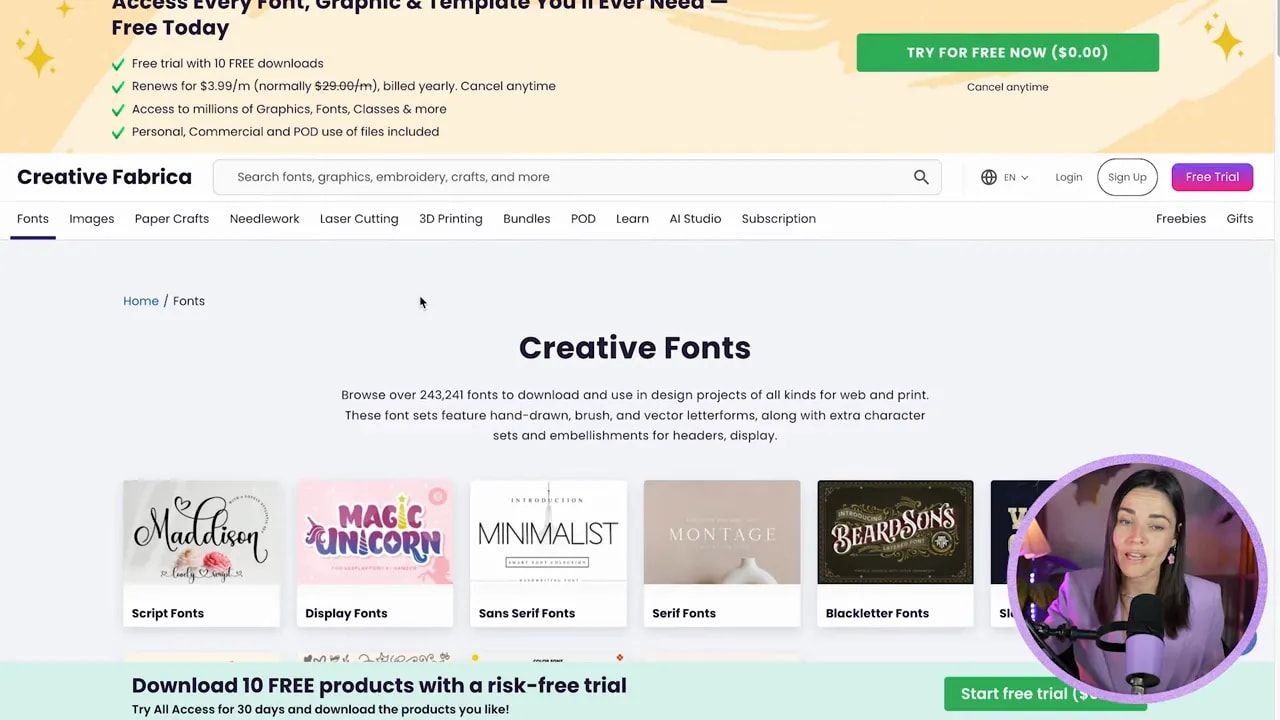
- Creative Fabrica
Creative Fabrica is especially popular for testing fonts because it often offers subscription access, meaning you can download and try multiple options without buying every single family upfront.
Step 4: Confirm the commercial license before you use the font
This is the part that can save you headaches.
Just because a font is “free” does not automatically mean you can use it commercially. Many fonts have different rules depending on where you use them, such as:
- Whether you can use the font in ads
- Whether you can use it for social media
- Whether you can use it in logos, branding, or merch
Double check the font’s license guide wherever you download it. Font foundries do send emails when usage rules aren’t followed, and nobody wants that.
Step 5: Upload the font to Canva (and confirm ownership)
After you download a font and unzip it, upload it to Canva.
1. Go back to Manage uploaded fonts.
FREE Design Tools to $100k Masterclass
Grow your biz with clever design and Canva hacks that will save you hours and make you sales.
2. Click Add new.
3. Select your font file(s) (for example, TTF or OTF) and click Open.
4. Canva will prompt you with an “ownership” style confirmation. Only confirm if you’ve got the appropriate license.
Once uploaded, you will see your font appear in your uploaded fonts list.
Step 6: Add the font to your designs (so it shows up automatically)
After uploading, you can apply your custom font like any other Canva font.
Quick workflow:
- Create a new design
- Open the font dropdown
- Scroll to Brand Kit
- Select your uploaded font (for example, “Regular” or “Bold” variants)
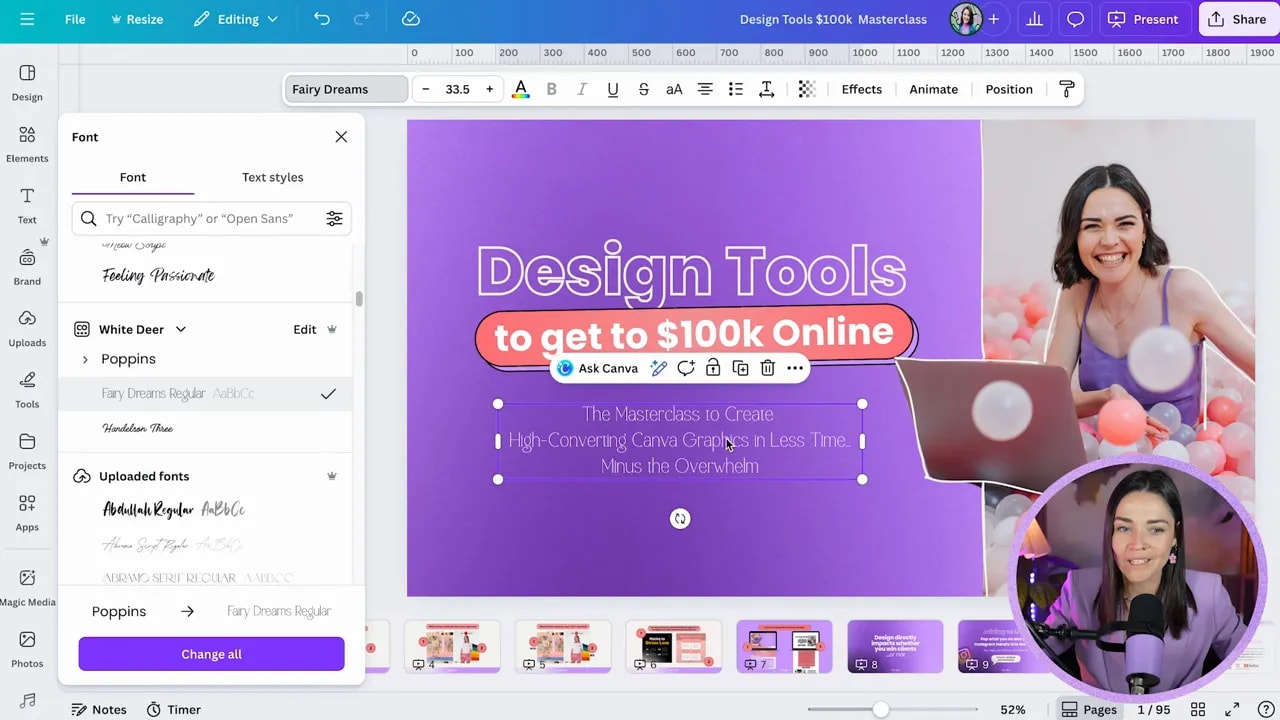
This is one of the biggest wins of uploading to Brand Kit. You stop hunting through font lists every time you need consistency.
Step 7: Use an alternate upload method (upload multiple files at once)
You can also upload fonts directly while you’re selecting a font in Canva.
1. Open the font dropdown.
2. Choose Upload a font.
3. Navigate to the font files on your computer.
4. Select multiple files if you want (hold Command on Mac, or Ctrl on PC).
5. Click Open, then confirm and upload.
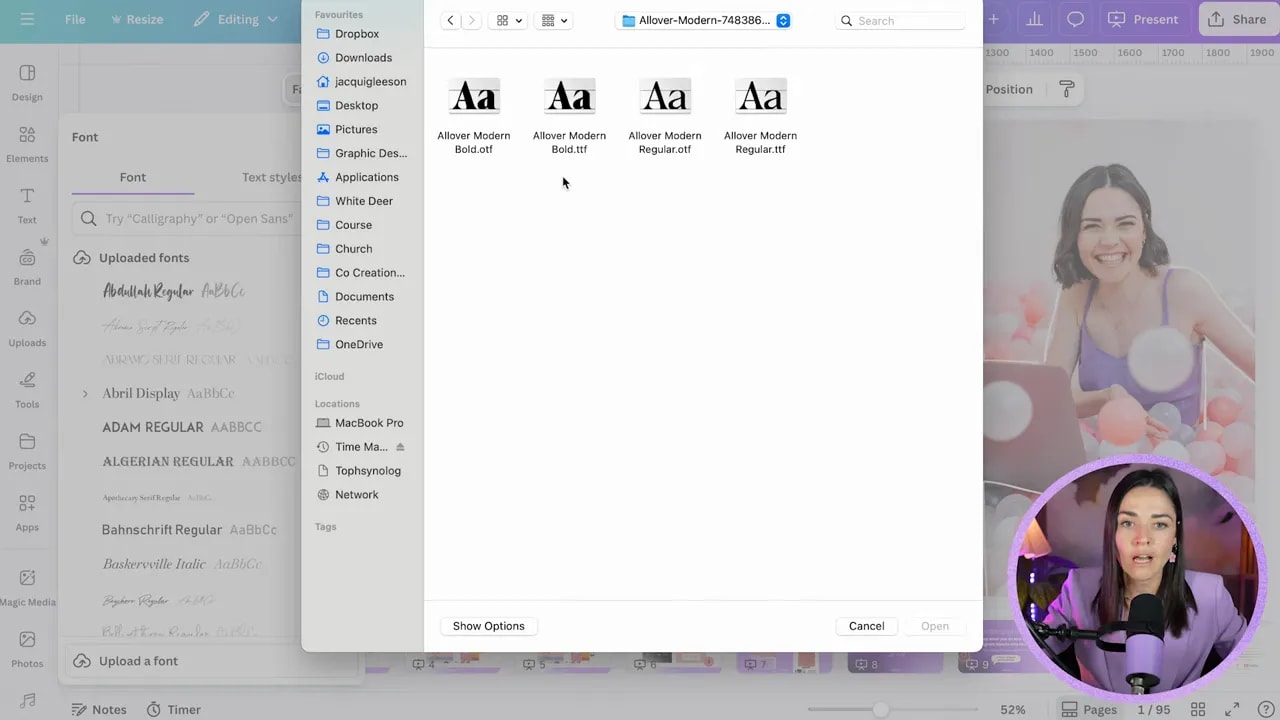
Why upload multiple weights (Regular + Bold)?
Many font families include multiple styles like:
- Regular
- Bold
If you downloaded a font package containing multiple variations, upload the corresponding files too. When they’re added to Canva, you can toggle between weights using the variations arrow and update highlighted text with the bold option.
Step 8: Use fonts strategically (not just because you can)
Even with perfect licensing, your font still needs to work for readability and brand voice.
A few practical tips:
- Use decorative or harder-to-read fonts more sparingly (often headings only).
- Make sure your font choices match how your brand should feel.
- Pair fonts intentionally instead of using random combinations.
- Test the font in your actual copy, not just the preview text.
Because if your font is hard to read or doesn’t match your vibe, your brand can look unpolished even if the design itself is “technically” done right.
Wrapping up: your font system should be both stylish and safe
Custom fonts can make your Canva brand look unique, professional, and like it actually belongs to your business. Just remember:
- You need Canva Pro to upload fonts.
- Upload to Brand Kit so your fonts are always ready.
- Always confirm your commercial licensing before using downloaded or purchased fonts.
- Upload all relevant weights like Regular and Bold for flexibility.
Have fun experimenting with fonts, testing them in real headings and button text, and building a brand style that makes you feel confident every time you design.
FREE Design Tools to $100k Masterclass
Grow your biz with clever design and Canva hacks that will save you hours and make you sales.