











If your content creation feels like starting from scratch every single week, the problem usually is not a lack of ideas. It is a lack of system.
You do not need to create more. You need to get far more mileage out of what you are already making. When you build the right setup, one strong piece of content can turn into weeks of posts across multiple platforms without everything becoming chaotic, inconsistent, or painfully time consuming.
This is exactly how you turn one podcast or one tutorial into 14 or more content assets, all from inside Canva, with everything organised in one place.
Table of Contents
- Step 1: Start with one hero piece of content
- Step 2: Keep everything inside one Canva design
- Step 3: Build a spreadsheet that tracks every asset
- Step 4: Use dropdowns and statuses to remove guesswork
- Step 5: Put your written content and support docs in the same file
- Step 6: Create reusable templates for every platform
- Step 7: Match the design to the platform, not just the dimensions
- Step 8: Let one team member create the copy from the hero content
- Step 9: Link supporting assets so your designer has everything needed
- Step 10: Include whiteboard space for screenshots, stats, and extras
- Step 11: Duplicate the whole system for each new episode
- Step 12: Make posting simple for your assistant or future self
- Step 13: Track episode-level progress with a master content tracker
- Step 14: Use the system to prevent the real reason repurposing stalls
- Step 15: Protect your brand while increasing output
- Step 16: Customise the system to fit your business
- Step 17: Get the template and skip the blank-page phase
- Step 18: Stop creating once and disappearing
Step 1: Start with one hero piece of content
The whole system begins with one main content piece. That might be a podcast episode. It might be a YouTube tutorial. The key is that you are not trying to invent 14 separate ideas for 14 separate posts.
Instead, you create one substantial thought piece first, then pull multiple assets from it.
That hero content can become things like:
- A podcast episode
- A YouTube video
- An Instagram carousel
- A single image post
- Several reels
- Instagram stories
- Pinterest pins
- A blog post
- LinkedIn content
The big shift is this: you are no longer asking, “What should I post today?” You are asking, “How many useful ways can I package this one idea?”
Step 2: Keep everything inside one Canva design
This is the part that saves a ridiculous amount of time.
Instead of having content plans in one tool, copy in another, graphics in a dozen Canva files, and random links floating around in messages or emails, keep the whole repurposing system inside one Canva design.
Yes, one.
Canva lets you combine multiple page types and sizes in a single file, so you can store planning documents, spreadsheets, written content, thumbnails, post templates, reels, and more together.
That means you are not hunting for things. Your team is not hunting for things. Nothing gets lost.

If you tend to scatter assets across dozens of designs, this one change alone can clean up your workflow massively.
Step 3: Build a spreadsheet that tracks every asset
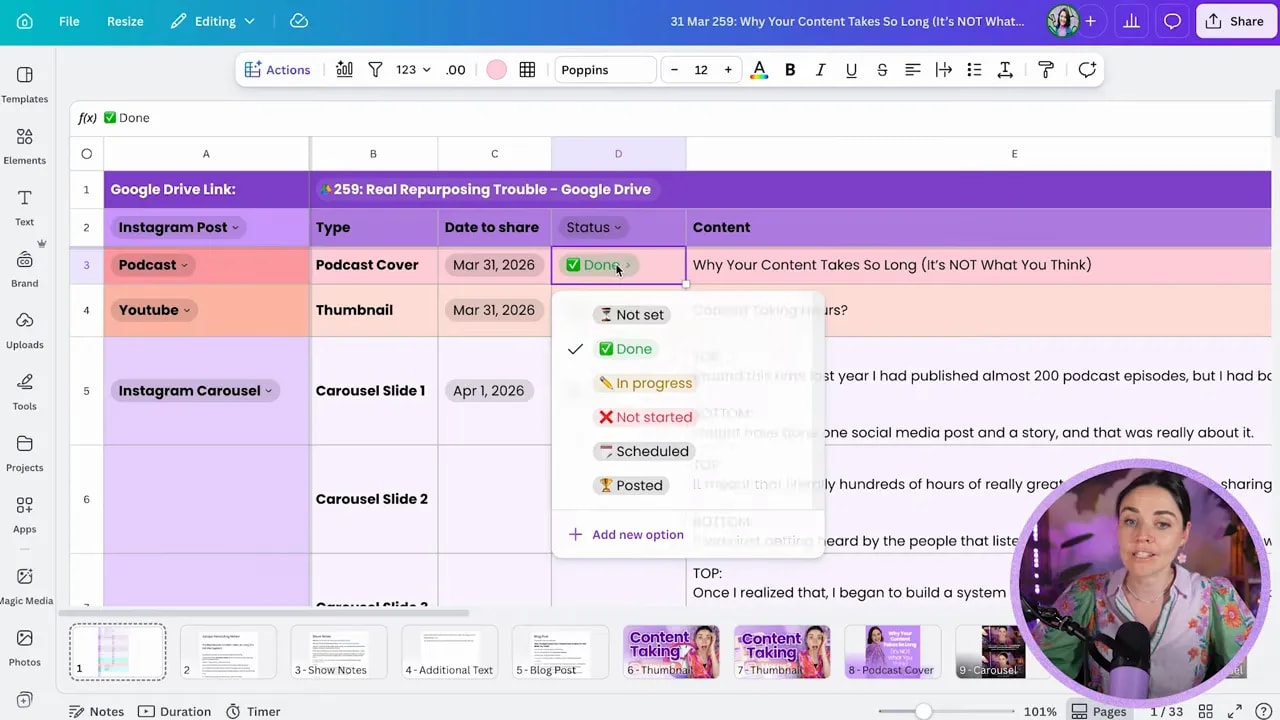
The first page of the design is a spreadsheet. This acts as the command centre for the entire content repurposing workflow.
In that sheet, track each content asset and the details your team needs to move it forward.
Useful columns include:
- Content type, such as podcast, YouTube, reel, carousel, stories, pin, or blog
- Format or subtype, if you want extra clarity
- Date, for when it is due, scheduled, or published
- Status, such as not started, done, scheduled, or posted
- Copy, for captions, hooks, descriptions, or notes
- Asset links, such as Google Drive folders or Canva page links
- Extra notes, including imagery, instructions, or context
The spreadsheet is not there to look fancy. It is there to make handoff simple.
One team member can create the written content from the main episode. Another can design the visuals. A virtual assistant can later download and schedule everything. Each person can see exactly what they need without asking ten follow-up questions.
If you are working solo, this still matters. A clean system saves future-you from unnecessary confusion.
Step 4: Use dropdowns and statuses to remove guesswork
One of the most practical parts of the setup is using Canva spreadsheet dropdowns.
For example, your content type field can include options like:
- Podcast episode
- YouTube tutorial
- Instagram post
- Instagram carousel
- Instagram reel
- Pinterest pin
- Blog post
Your status field can then show where each asset is up to.
That might include:
- Not started
- In progress
- Done
- Scheduled
- Posted
When these options are standardised, your workflow instantly becomes clearer. You do not need to interpret messy notes or vague updates. Everyone can see what is happening at a glance.
Step 5: Put your written content and support docs in the same file
After the spreadsheet pages, add your documents directly inside the same Canva design.
This is where the system becomes much more than a list of tasks.
You can include things like:
- Recording notes for the original episode
- Show notes for podcast and platform descriptions
- YouTube instructions
- Pinned comment copy
- ManyChat prompts
- Spotify question text
- Blog article draft
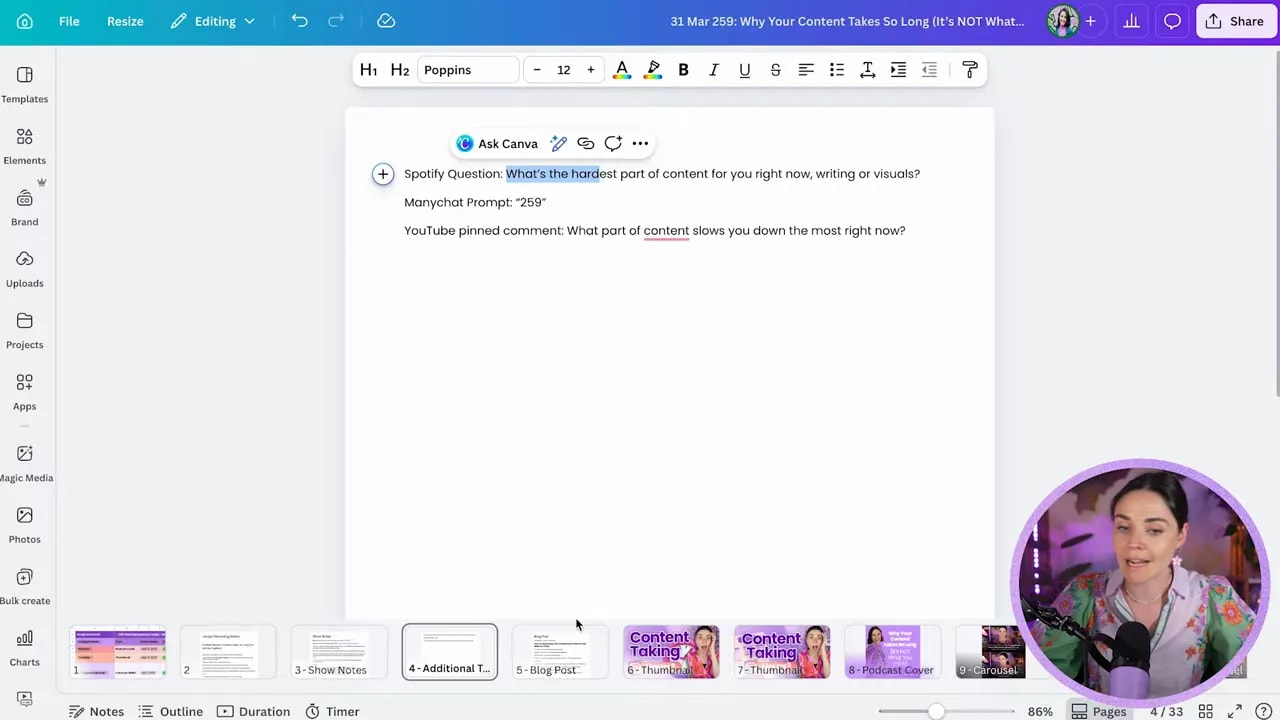
Now your team is not piecing together content from random tools. The notes, the copy, the instructions, and the design assets all live together.
That also makes approvals easier. You can review one file instead of jumping between apps.
Step 6: Create reusable templates for every platform
Once the written content is in place, the next layer is your design templates.
Inside the same Canva file, include the base templates your team will reuse every week. These can be duplicated and updated without rebuilding from scratch.
Examples include:
- YouTube thumbnails
- Podcast covers
- Instagram carousels
- Quote graphics
- Story slides
- Reels
- Pinterest pins
- Video pins
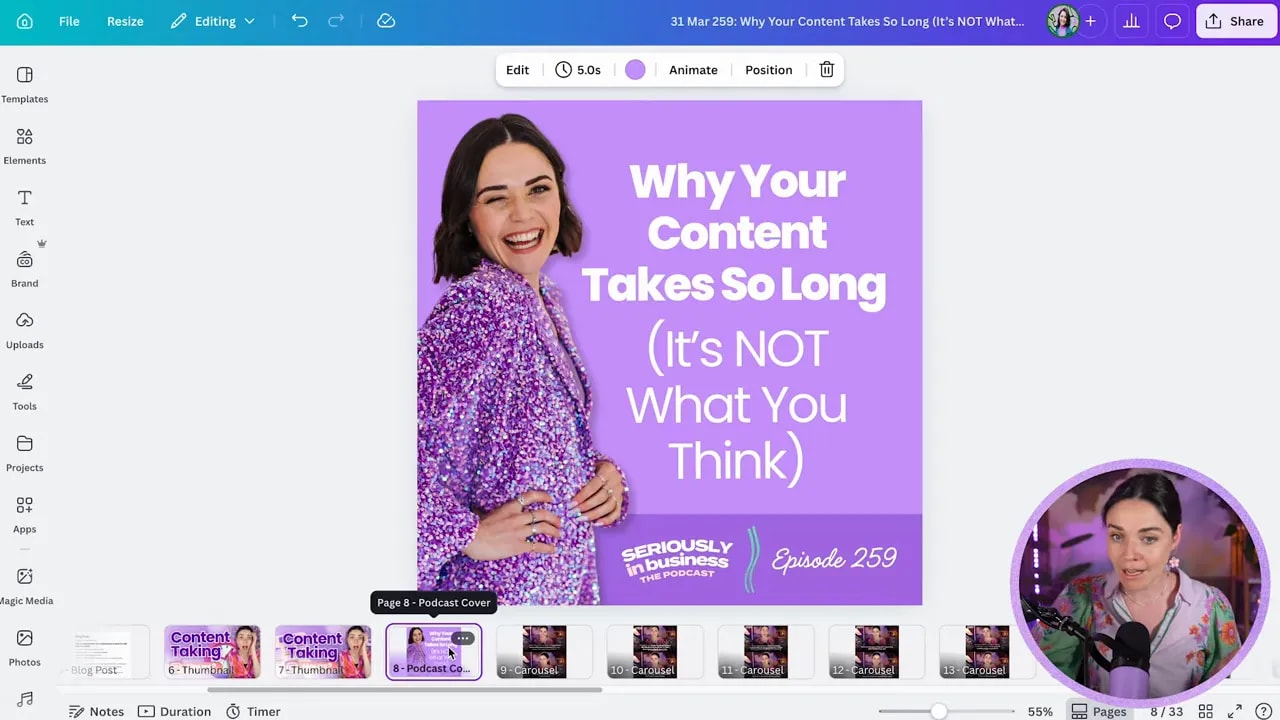
The point is not to reuse the exact same design endlessly with no thought. The point is to reuse the structure.
Swap out the text. Update the imagery. Adjust the supporting details. But keep the visual framework consistent so your process stays quick and your brand stays recognisable.
Step 7: Match the design to the platform, not just the dimensions
This part is important because it is where many repurposing systems fall apart.
Repurposing does not mean taking one thumbnail and slapping it everywhere. Different platforms need different styles of content, not only different sizes.
That means:
- A YouTube thumbnail should be designed like a YouTube thumbnail
- An Instagram carousel should feel native to Instagram
- A reel should be built to work as a short-form video
- A Pinterest pin should be laid out for Pinterest behaviour
You are adapting the same message, but you are packaging it for the platform where it will live.
That is how repurposed content still performs well instead of feeling lazy or mismatched.
Step 8: Let one team member create the copy from the hero content
In this workflow, one team member starts by taking the main episode content and turning it into all the written pieces needed across platforms.
That process can be supported with AI, which helps speed things up, but the real value comes from having a person shape the ideas clearly and strategically.
From one episode, that person can pull out:
- Hook ideas
- Caption drafts
- Carousel copy
- Blog content
- Description text
- Calls to action
- Platform-specific notes
Then those assets are passed to the designer with all the context they need already attached.
That handoff matters because the designer should not need to guess what a post is trying to say.
Step 9: Link supporting assets so your designer has everything needed
Written copy is only part of the job. Your designer may also need:
FREE Design Tools to $100k Masterclass
Grow your biz with clever design and Canva hacks that will save you hours and make you sales.
- Photos
- Screenshots
- Brand elements
- Drive folders
- Reference notes
- Links to source files
By adding those links directly into the spreadsheet, you remove bottlenecks.
The designer can open the row for a particular asset, find the copy, find the notes, find the imagery, and get to work immediately.
This is what makes the system feel smooth rather than chaotic.
Step 10: Include whiteboard space for screenshots, stats, and extras
Another clever addition is a Canva whiteboard page at the end of the file.
This gives you an open visual space to drop in anything that supports the content but does not fit neatly into a doc or template.
For example, you might add:
- Analytics screenshots
- Reference graphics
- Visual examples
- Podcast support images
- Notes for editors
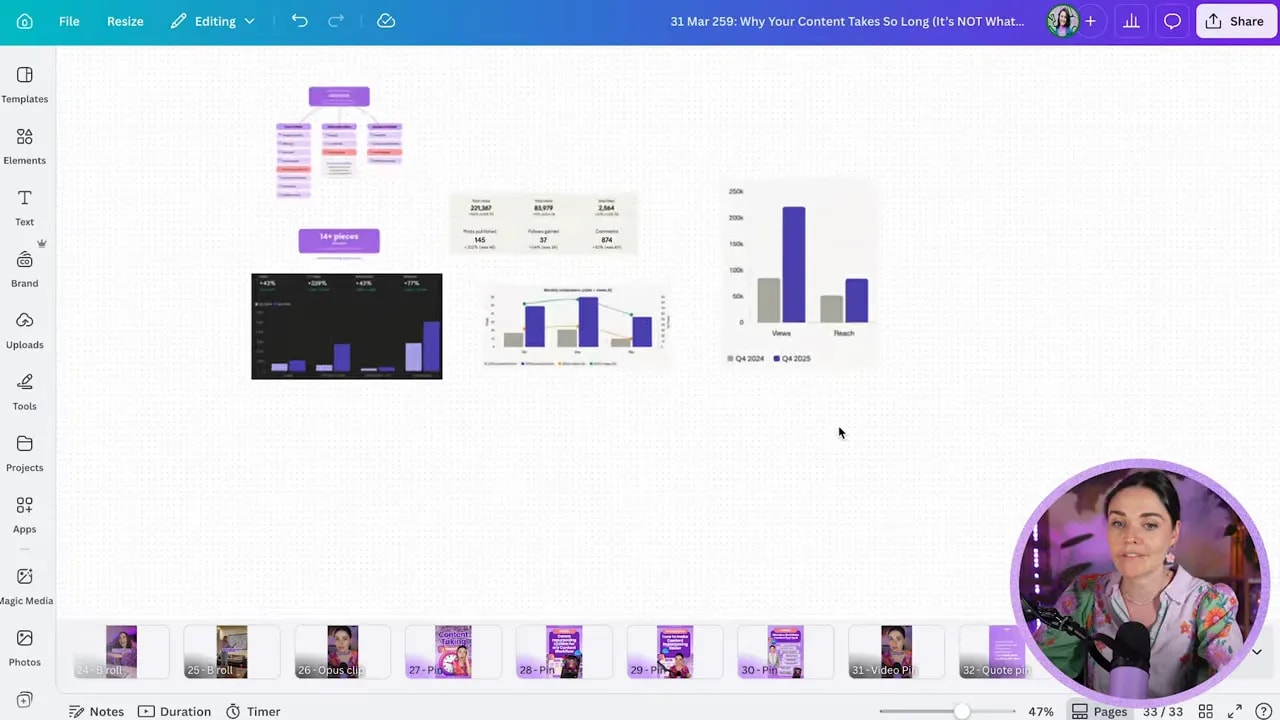
This keeps your supporting visuals close to the rest of the project instead of buried in another folder somewhere.
Step 11: Duplicate the whole system for each new episode
Once your structure is built, you do not need to rebuild it every week.
You simply duplicate the design and use it for the next podcast or tutorial.
That means every new episode starts with:
- The spreadsheet already set up
- The docs already structured
- The templates already waiting
- The workflow already understood by the team
This is where the time savings really compound.
Instead of reinventing the wheel, you are refining a repeatable machine.
Step 12: Make posting simple for your assistant or future self
When the assets are ready, the final step becomes incredibly straightforward.
The person responsible for posting can open the same Canva file, go to the relevant design, and download what they need in the right format.
For example:
- A JPEG for a YouTube thumbnail
- A PNG for an Instagram graphic
- A video file for a reel
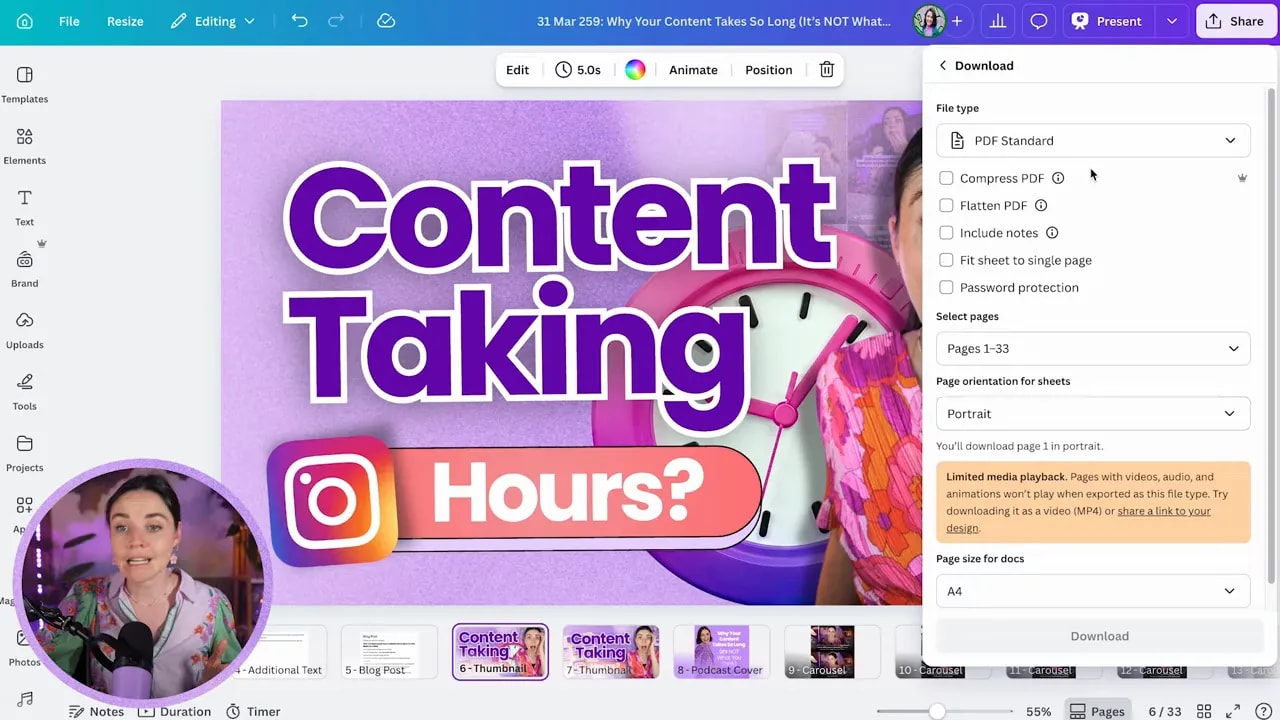
No one is asking where the latest file is. No one is checking whether they downloaded the right version. It is all sitting there in one place.
Step 13: Track episode-level progress with a master content tracker
On top of the per-episode Canva file, it helps to have a separate tracker for your overall publishing schedule.
This higher-level tracker can include:
- Episode number
- Date
- Topic or title
- Current status
- Main call to action
- Link to the full repurposing document
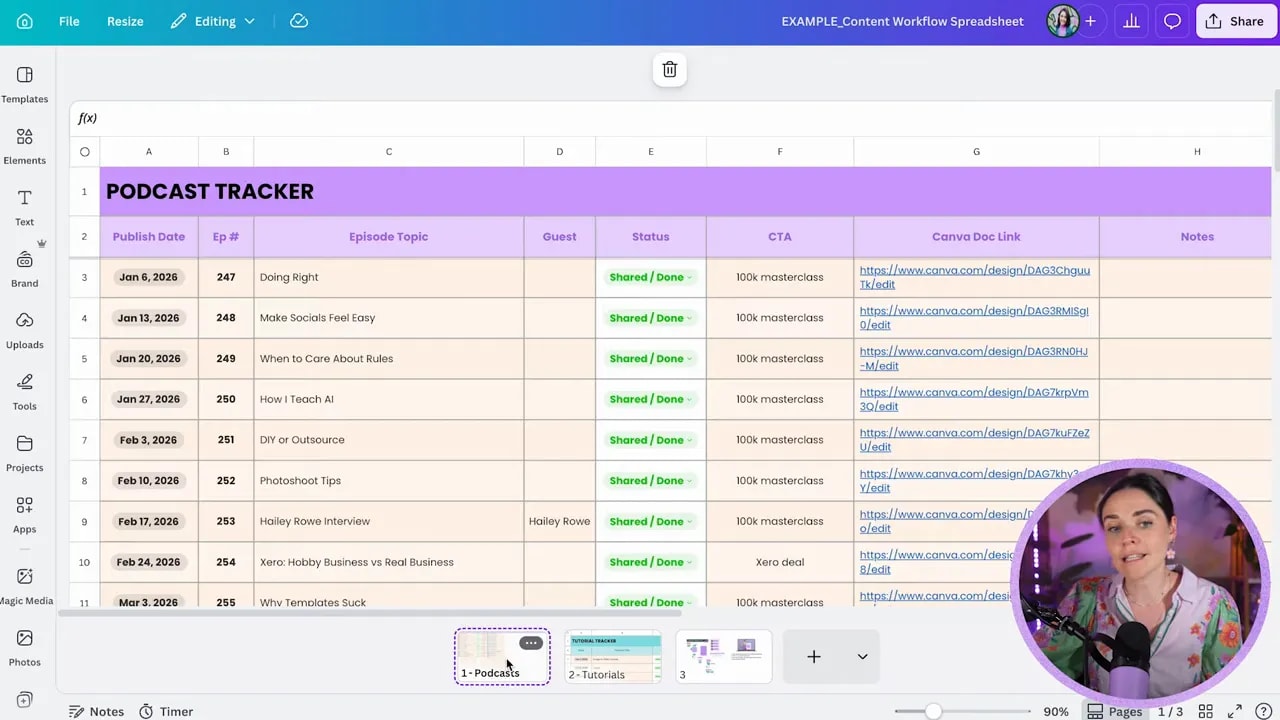
That way, you are not only tracking individual assets. You are tracking the progress of each episode from idea to publication.
It also makes it easier to manage different content streams, such as podcasts and tutorials, using the same overall logic.
Step 14: Use the system to prevent the real reason repurposing stalls
Most people do not avoid repurposing because they cannot come up with words.
They avoid it because the design side feels messy.
They are not sure what graphics to create, how to size them, how to keep them on-brand, or where to store everything. So the process feels hard, and when it feels hard, it does not happen consistently.
That is why templates matter so much.
A solid template system removes friction. You are no longer staring at a blank page every time. You are making smart edits inside a proven framework.
And when the process gets easier, repurposing actually happens.
Step 15: Protect your brand while increasing output
More posts do not automatically mean better business results.
If your repurposed content looks rushed, inconsistent, or unprofessional, increasing volume can actually work against you.
Your content still needs to build trust.
So as you create your system, make sure it supports:
- Consistent brand visuals
- Thoughtful formatting per platform
- Clear approvals and responsibilities
- High-quality graphics that feel credible
This is not about pumping out posts for the sake of staying busy. It is about creating strategic content that looks polished and performs well.
Step 16: Customise the system to fit your business
You do not need to copy someone else’s exact content mix.
If your business uses different platforms, different post types, or a different team structure, adapt the framework.
You might:
- Add your own dropdown categories
- Replace template pages with your own brand designs
- Use fewer platforms
- Manage the whole thing solo
- Expand it for a larger team
The power is not in the exact labels. The power is in having one clear, reusable backend system that makes content multiplication easy.
Step 17: Get the template and skip the blank-page phase
If you want to build this faster, you can grab the free Canva repurposing system template and customise it for your own workflow.
If you also want the deeper strategy behind team roles, approvals, platform-specific design choices, and the broader backend process, the Hero Design System masterclass goes further into how the whole system runs.
If you are using Canva for your brand and content creation already, a Canva Pro trial can also make the workflow smoother.
Step 18: Stop creating once and disappearing
When you put serious effort into one podcast, one tutorial, or one strong teaching piece, do not let it live in only one place.
That one idea can support your Instagram audience, your blog SEO, your LinkedIn presence, your YouTube growth, and more.
Without a system, that value gets left on the table.
With a system, your content keeps working long after you hit record.
That is the goal here. Not more hustle. Not more chaos. Just one smart, repeatable content repurposing system that helps you show up consistently without doing everything manually every single day.