












Table of Contents
- Step 1: Start a video design sized for mobile
- Step 2: Upload and position your clip
- Step 3: Generate captions automatically
- Step 4: Edit caption text and formatting
- Step 5: Use effects for readability
- Step 6: Animate captions for impact
- Step 7: Add extra elements and control timing
- Step 8: Export as MP4 and prepare for posting
- Quick checklist before you export
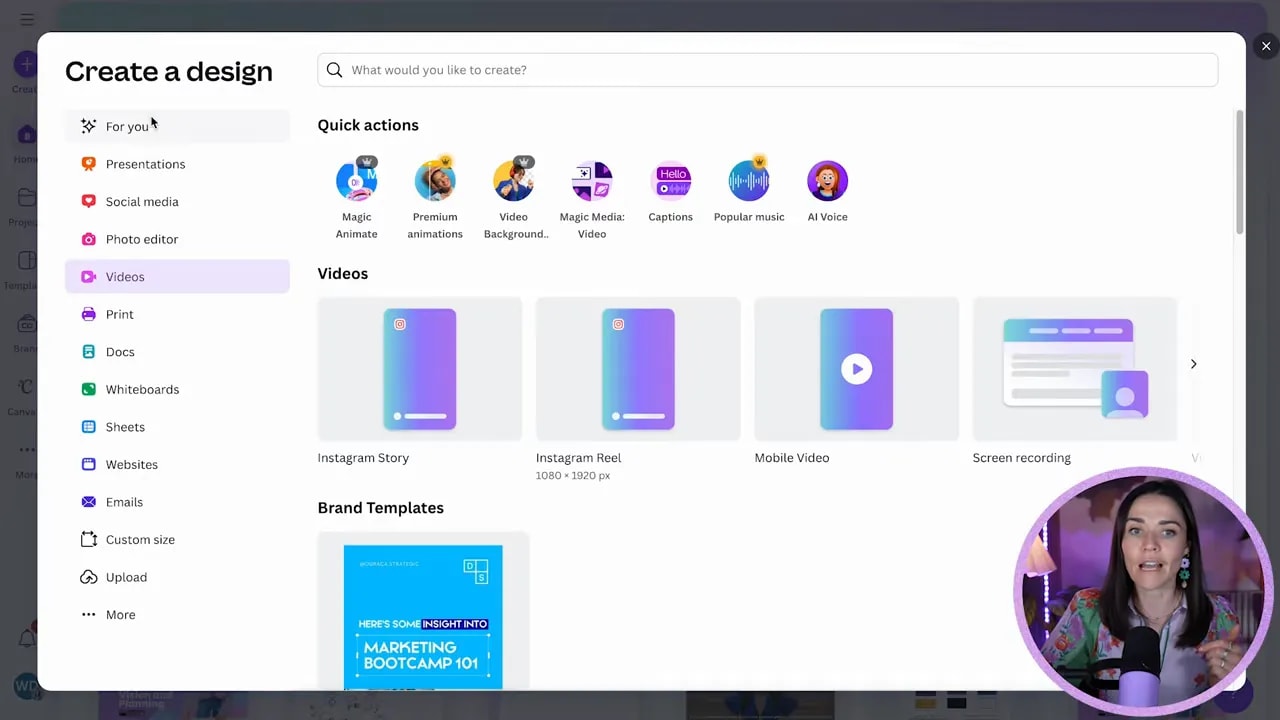
Step 1: Start a video design sized for mobile
Open a new Canva design and choose a video format that matches where you plan to post. For Instagram reels pick Instagram Reel or any vertical video preset. Starting with the correct canvas keeps captions and on-screen elements in safe areas so nothing gets cropped on mobile.
Step 2: Upload and position your clip
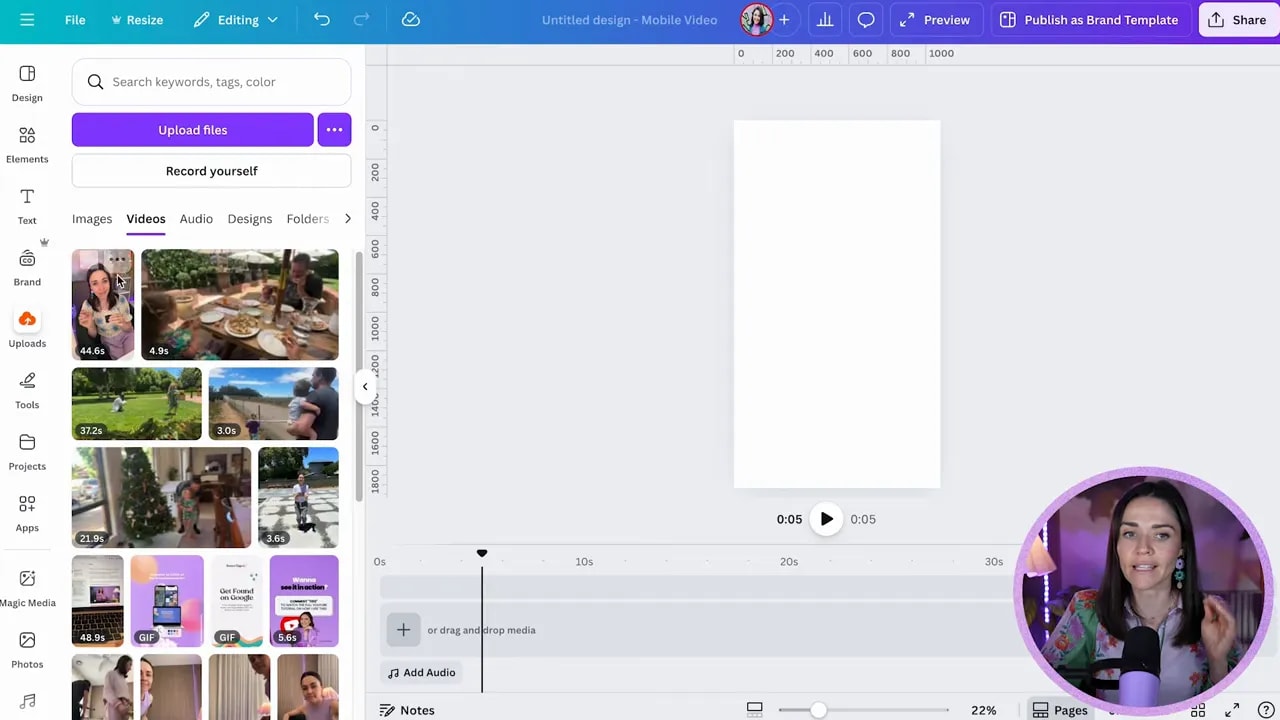
Upload your video to Uploads and switch to the Videos tab so you can add it to the design. Insert the clip, or right click and set it as background if you want a full-bleed look. Once it’s on the canvas you’ll see it in the timeline at the bottom—use the play head and drag handles to trim or nudge the start and end points.
Step 3: Generate captions automatically
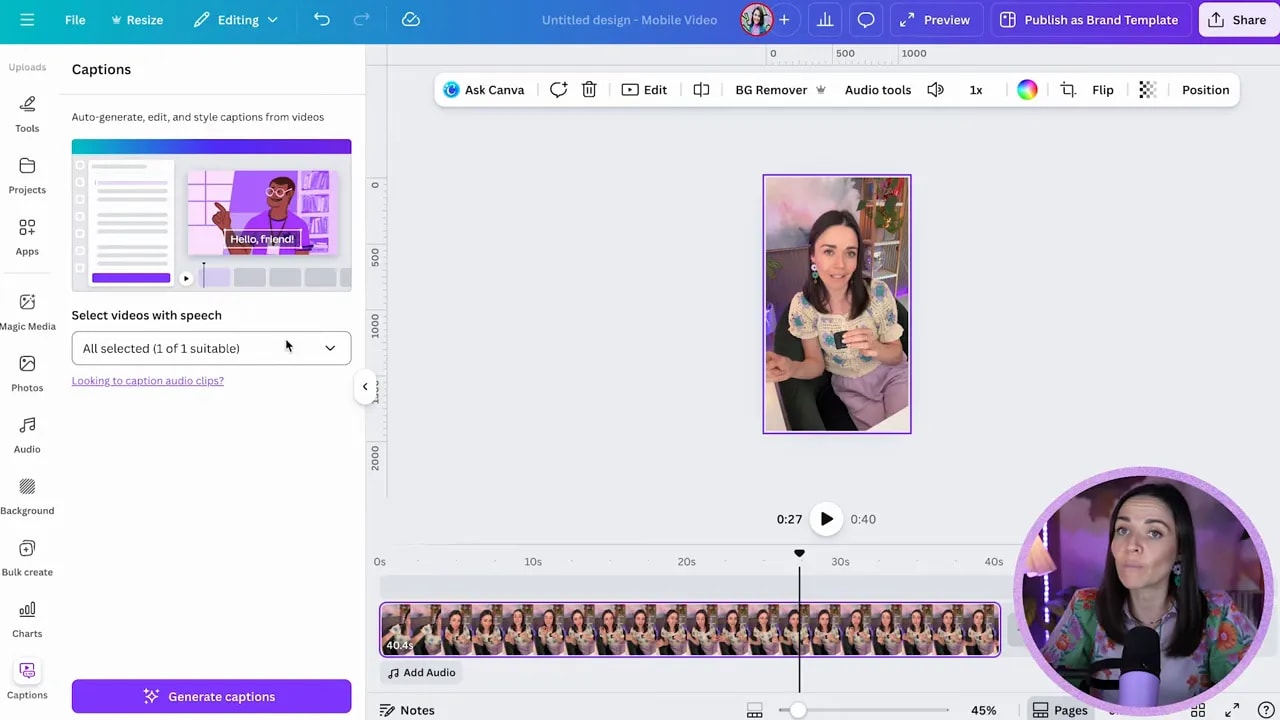
Go to Text and choose Captions. With the clip selected press Generate captions. Canva will transcribe the audio and create editable caption text boxes synced to the timeline.
Step 4: Edit caption text and formatting
The generated captions are regular text boxes, so you can:
- Edit any wording directly in the captions panel.
- Delete entire caption lines using the trash icon.
- Change font, size, and color to match your brand.
Pro tip: when changing styles, click the area just below the visible text box (not the exact text line). That selects the caption component globally so formatting applies to all current and future caption boxes.
Step 5: Use effects for readability
Captions need to be readable no matter how the background changes. Effects give you control:
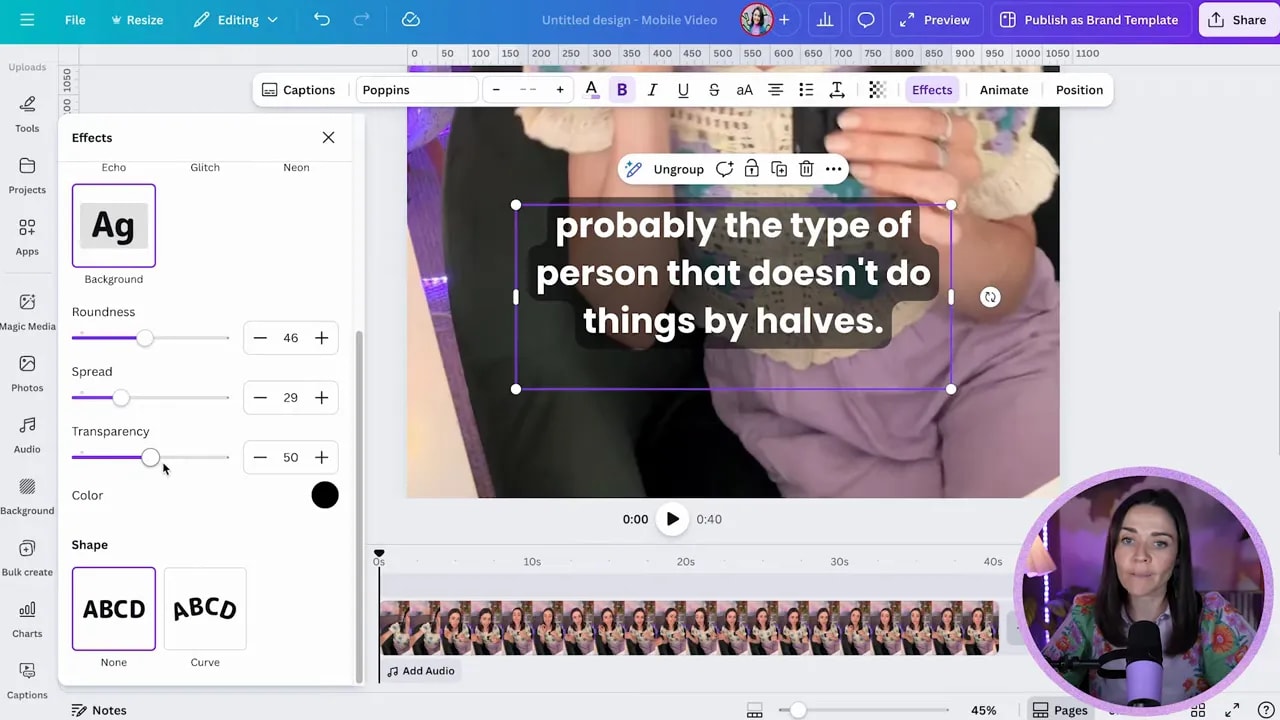
- Background — add a shape behind the text and adjust roundness, spread, and transparency. A slightly rounded white or black pill is often the most readable on mobile.
- Outline — add a stroke to the text for contrast when the background is busy.
- None — remove background when the footage is clean and contrast is guaranteed.
Adjust transparency so the caption sits comfortably over footage without looking heavy. Small changes to spread and roundness make a big difference to the overall feel.
Step 6: Animate captions for impact
Canva offers a wide range of text animations. Try:
FREE Design Tools to $100k Masterclass |
|
Grow your biz with clever design and Canva hacks that will save you hours and make you sales. |
| Get My Free Ticket |
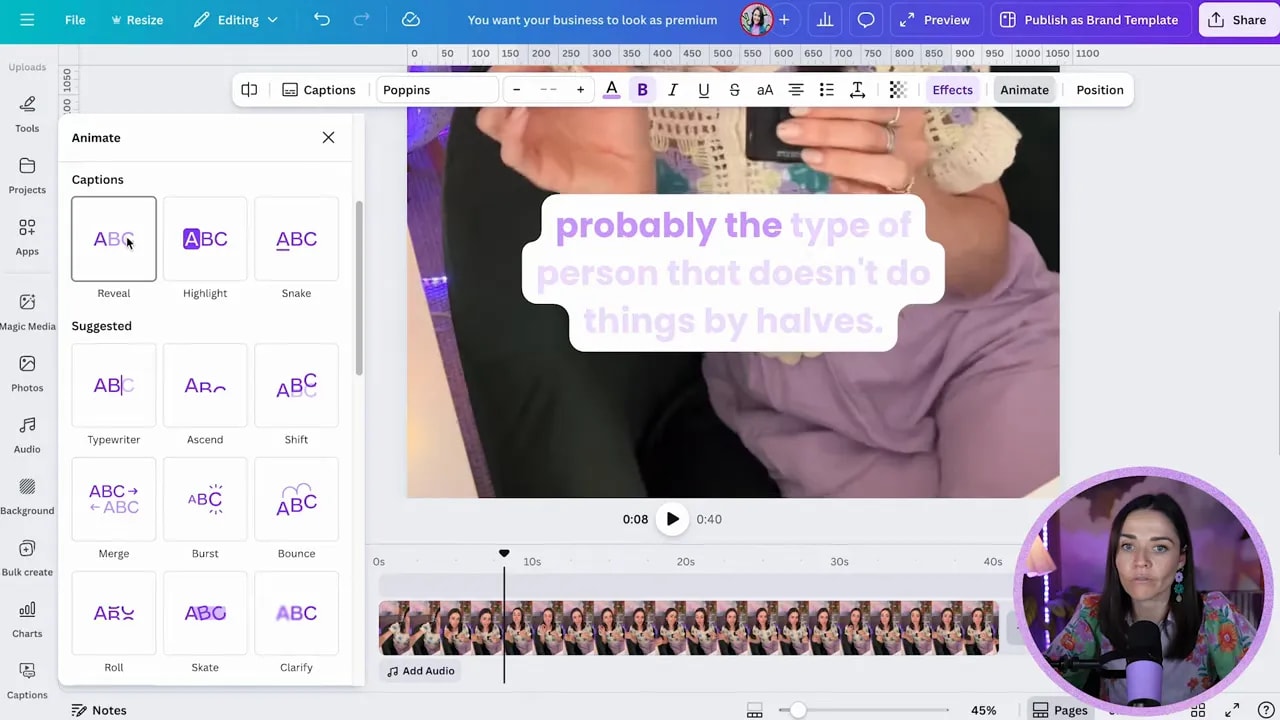
- Reveal — elegant introduction of lines as they appear.
- Highlight — simulates a colored marker revealing words.
- Snake or Typewriter — adds personality to short lines.
You can choose different animations for the caption component, but note that Canva currently determines how the text breaks across lines automatically. There isn’t an easy built-in control to force one word per line for each caption chunk.
Step 7: Add extra elements and control timing
Add brand elements, buttons, or pop-up text and position them on the timeline. Each element appears as a blue bar in the timeline—drag the edges to change when it appears and for how long.
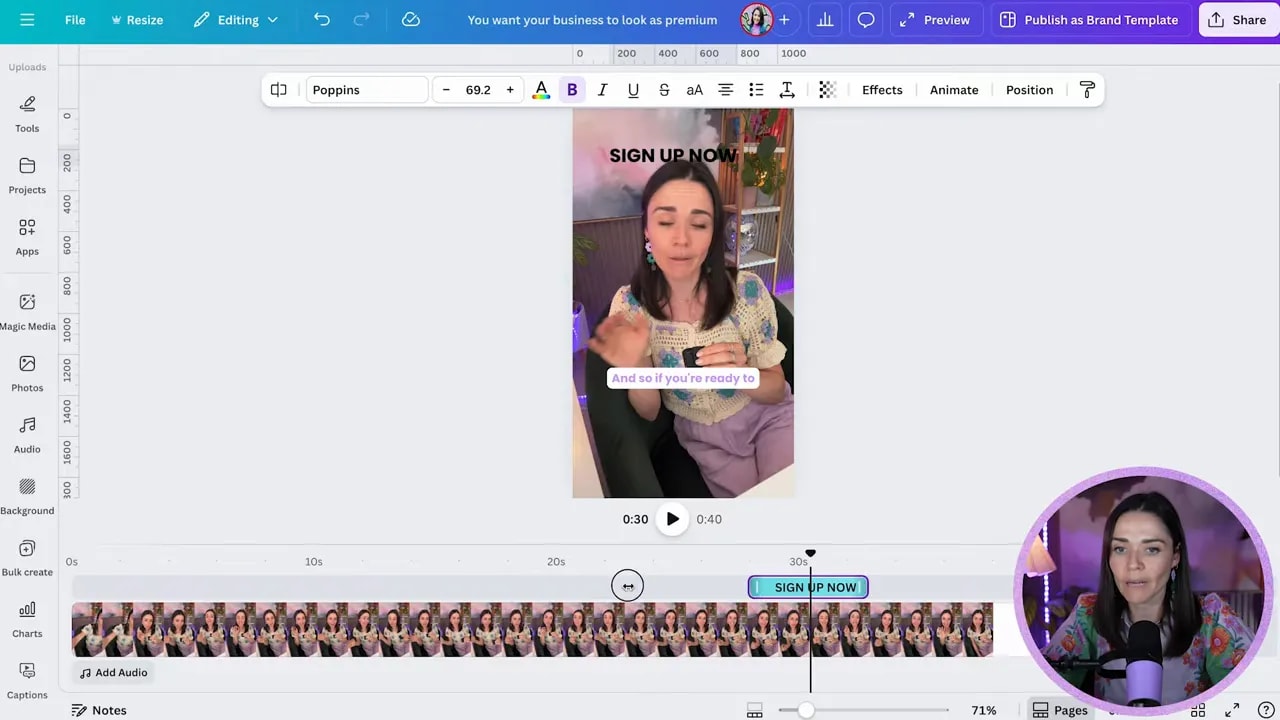
Use this to highlight calls to action or to layer short reminders like “Sign up” that only show for a few seconds.
Step 8: Export as MP4 and prepare for posting
When you’re happy with the design, click Share then Download. Choose MP4 with 1080p quality for excellent results across social platforms. MP4 is widely supported and ideal for Instagram, Facebook, LinkedIn, and more.
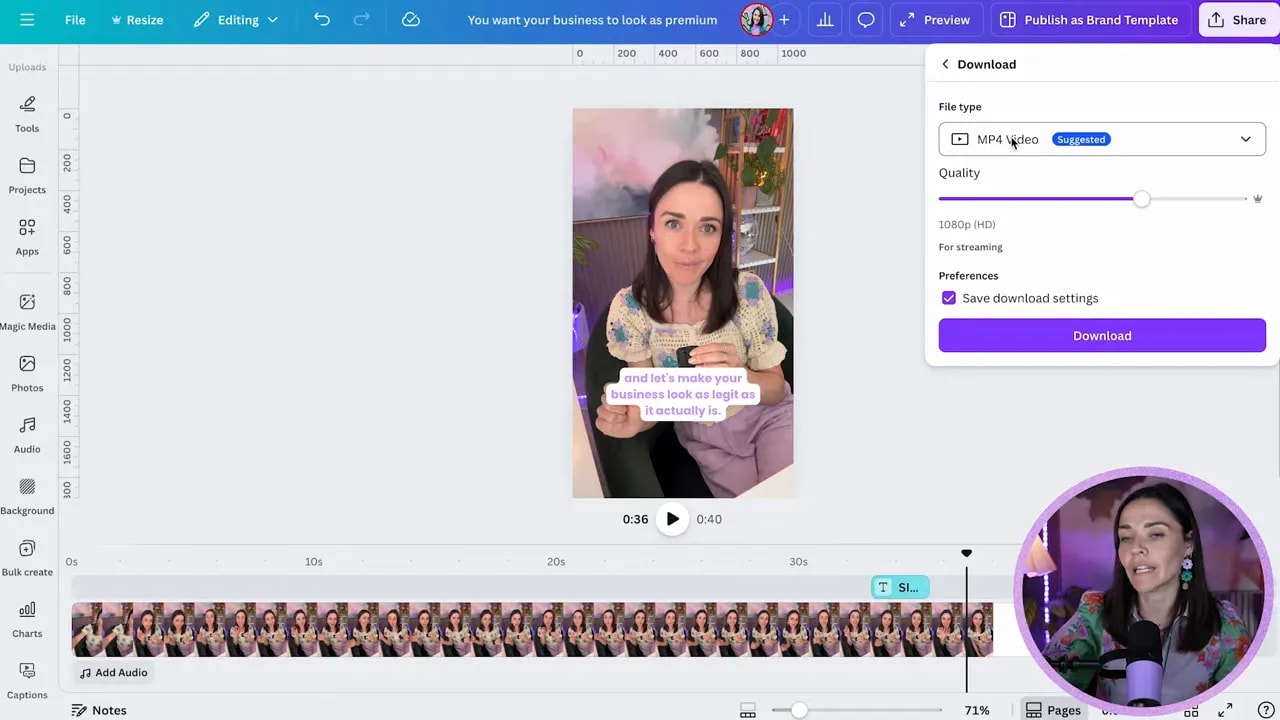
After download, you can either send the file to your phone or open Canva on mobile and download directly to post from there.
Quick checklist before you export
- Captions are positioned within safe zones and not too close to the screen edges.
- Background or outline ensures readability across the whole clip.
- Animations are subtle and match your brand tone.
- All on-screen text timings align with the audio.
Final tips
Strong, readable captions increase engagement and accessibility. Keep the text concise, use your brand fonts and colors consistently, and test on your phone before posting. Small style choices—rounded background pills, a thin outline, or a simple reveal animation—make a big difference to how professional your videos feel.
Use these steps every time you create short-form video content and you’ll save time while making content that converts.
FREE Design Tools to $100k Masterclass |
|
Grow your biz with clever design and Canva hacks that will save you hours and make you sales. |
| Get My Free Ticket |