












Listen on Apple • Listen On Spotify
If you’ve been working through this series with me, you already know your Canva workflow and your brand foundations matter more than any shortcut I’m about to give you. But once those are sorted, this is where it gets fun… the exact little techniques that start shaving real time off every design session.
In this blog, I’ll cover my favourite Canva keyboard shortcuts that’ll half your design time and a super simple 5-minute Canva check that you can do for every design to save hours.
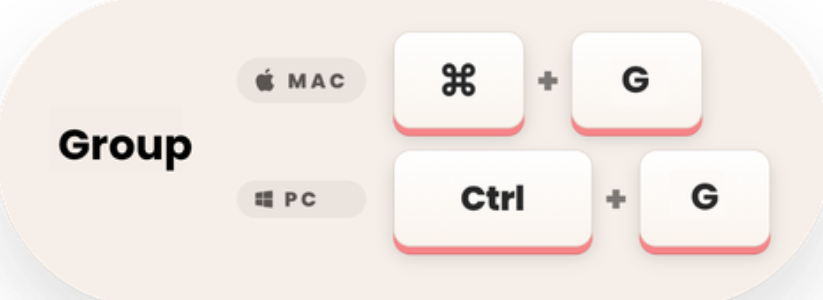
How to group objects in Canva
If you’ve got a box, some text and a shadow that all need to move together, stop clicking and dragging each one separately. Hold Shift, click each item to select them all, then press Ctrl G (Command G on Mac) to group them. Now they move as one. It sounds small. It isn’t.
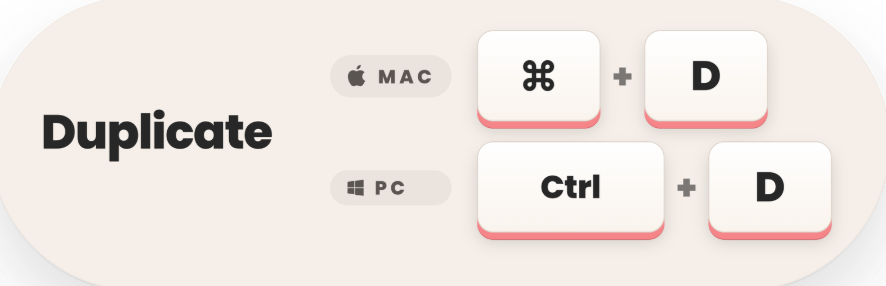
How to duplicate objects in Canva
Whether it’s a page, an element or a text box, Ctrl D (Command D on Mac) duplicates it instantly. No more recreating something you’ve already built. This one alone stops so much repeated, pointless work.
How to undo and redo in Canva (without touching your mouse!)
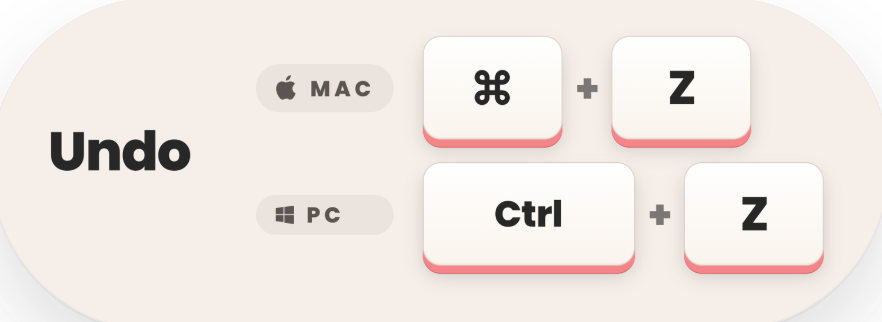
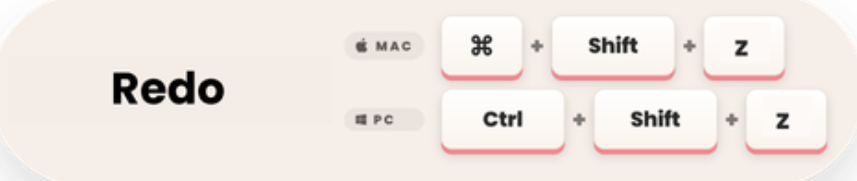
Ctrl Z undoes your last move. Ctrl Shift Z brings it back if you change your mind. I use these constantly, to the point where I don’t even think about it anymore… my fingers just go there.
The more you use these, the more they become muscle memory. You stop consciously thinking “undo” and your hands just do it.
The next step up from Canva keyboard shortcuts
Components are a step up from grouping objects inside Canva. Instead of just grouping elements for one design, you save them so you can reuse them again and again, across as many designs as you like. Save your favourite button style, a texture, a collage graphic, your Instagram handle… anything you use often.
The clever part: if you update a component (say your handle changes), you can update every design that’s ever used it, in one go. Right click on your selected element/s, choose Create Component, name it, choose where to save it, and you’re set.
Do the 5 Minute Canva Session Reset Everytime You Design
Three things to check every time you finish a design:
- Name your file properly. Not “Untitled,” not the first line of text Canva grabbed. Give it a real name you’ll recognise later.
- Check you’re on brand. Your colours, your fonts, your overall look. A slightly lighter shade for readability is fine. A random colour because it looked cute is not… unless you add it to your brand kit properly.
- Save any new brand elements you created. Found a new collage style or shadow effect you love? Save it as a component or pop it in your brand kit folder so future you can use it again.
These three checks take five minutes and save you hours down the track.
Final words
Design isn’t just about making things look pretty. It’s about connecting with your audience and helping people trust you at a glance. These small habits are what make that consistency possible.
Want to see all of this in action? I’ve got a whole section on my favourite Canva shortcuts (with more I haven’t covered here) inside my free masterclass, Design Tools to Get to 100K.
Free Canva Masterclass: Design Tools to $100k 👉 https://www.whitedeer.com.au/designmasterclass access it for free 👉 https://www.whitedeer.com.au/designmasterclass
WORK WITH JACQUI:
// DIY Design My Biz: The best course for business owners DIYing their own brand and graphics in Canva. Learn more: https://whitedeer.com.au/diy-dmb
// The Co+Creation Design Club: Design WITH the help of a professional designer in this high-touch coaching space: https://whitedeer.com.au/designclub
// Design Studio: If you’re after fully done-for-you design services my studio team can help! https://whitedeer.com.au/designstudio