












AI does not need to replace your design thinking, your brand personality, or the intentional choices that make your graphics feel like you. In fact, I am not a fan of generic AI images, posters, and flyers that could belong to absolutely anybody.
But I am a huge fan of using clever tools to remove the repetitive bits of creating content. If you have ever spent far too long copying text into ten different Instagram slides, this workflow is for you.
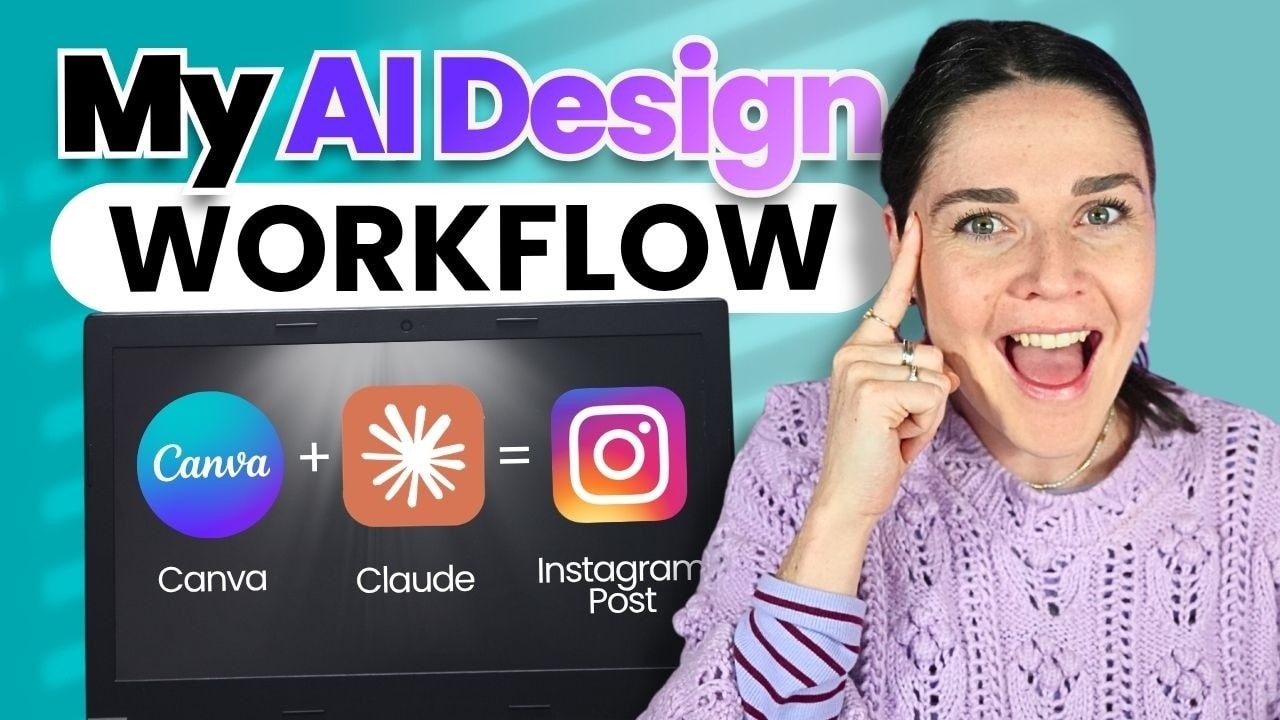
You can use Claude and Canva together to turn your existing content, such as a podcast episode, into a fully designed carousel using your own branded template. Claude helps create and insert the copy, while you keep control of the messaging, layout, images, and final polish.
Table of Contents
- Step 1: Build repeatable templates for your brand
- Step 2: Keep the carousel structure simple and intentional
- Step 3: Connect Canva to Claude
- Step 4: Give Claude your source content
- Step 5: Write a prompt that matches your template exactly
- Step 6: Ask Claude to duplicate and update your Canva template
- Step 7: Make sure you receive an edit link, not just a view link
- Step 8: Give the carousel a proper human polish pass
- Step 9: Export your finished carousel and post it
- Step 10: Strengthen your brand before you automate it
- Step 11: Get the carousel template
Step 1: Build repeatable templates for your brand
The secret is not finding a new Canva template every time you need to post. The secret is creating a small collection of templates that genuinely belong to your business.
For example, you might create five to ten social media templates that you rotate regularly. Each time you use one, you update the text, swap the imagery, and reuse the same strong visual structure.
This makes content creation so much easier because you are not distracted by shiny new design ideas every week. You can spend more time on your actual content and on the areas of your business you enjoy most.
Before automating anything, make your template unmistakably yours. Consider your:
- Brand colours
- Brand fonts
- Photography style
- Graphic elements and shapes
- Layout preferences
- Overall tone and personality
A template can begin as a Canva template or a design you build from scratch, but it should be adapted until it reflects your business. That is how you avoid the cookie cutter look that everybody else is using.
Step 2: Keep the carousel structure simple and intentional
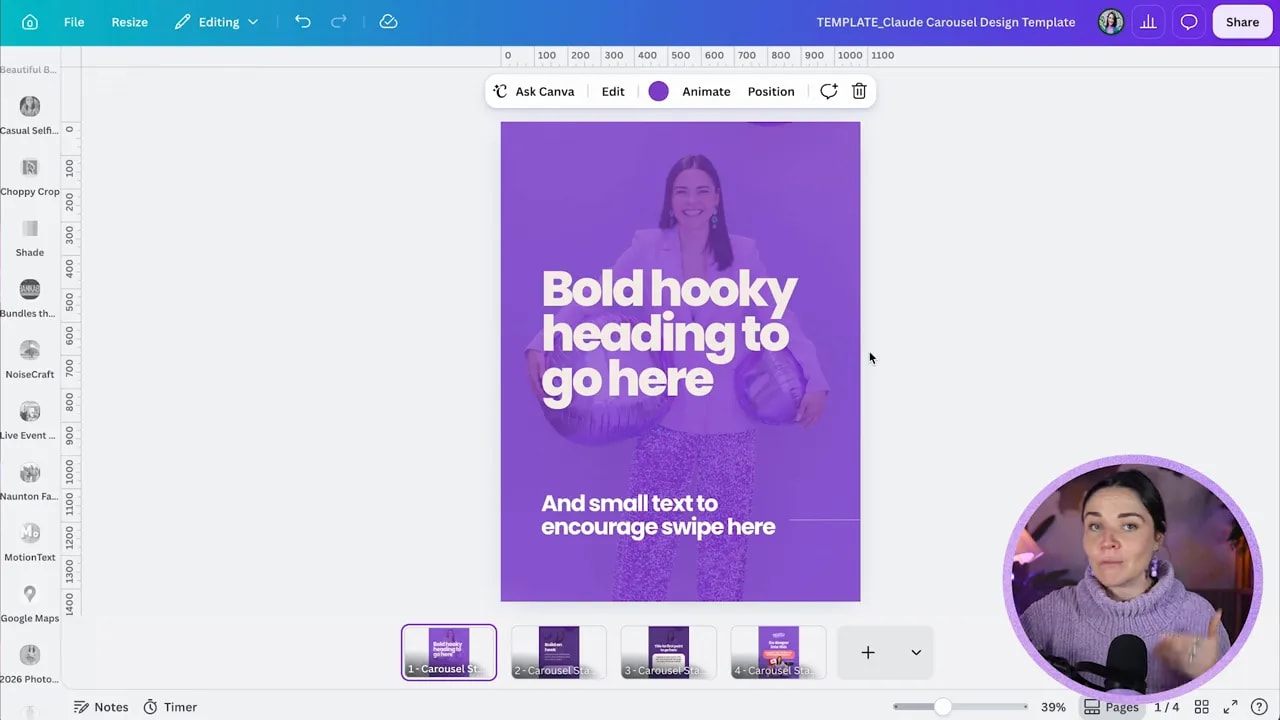
For this workflow, simple is your friend. The more fiddly elements, text boxes, font sizes, and layout variations you put into a design, the more opportunities there are for things to become messy when Claude updates it.
A simple educational carousel can follow a structure like this:
- Cover slide: A bold, punchy hook with a short supporting line.
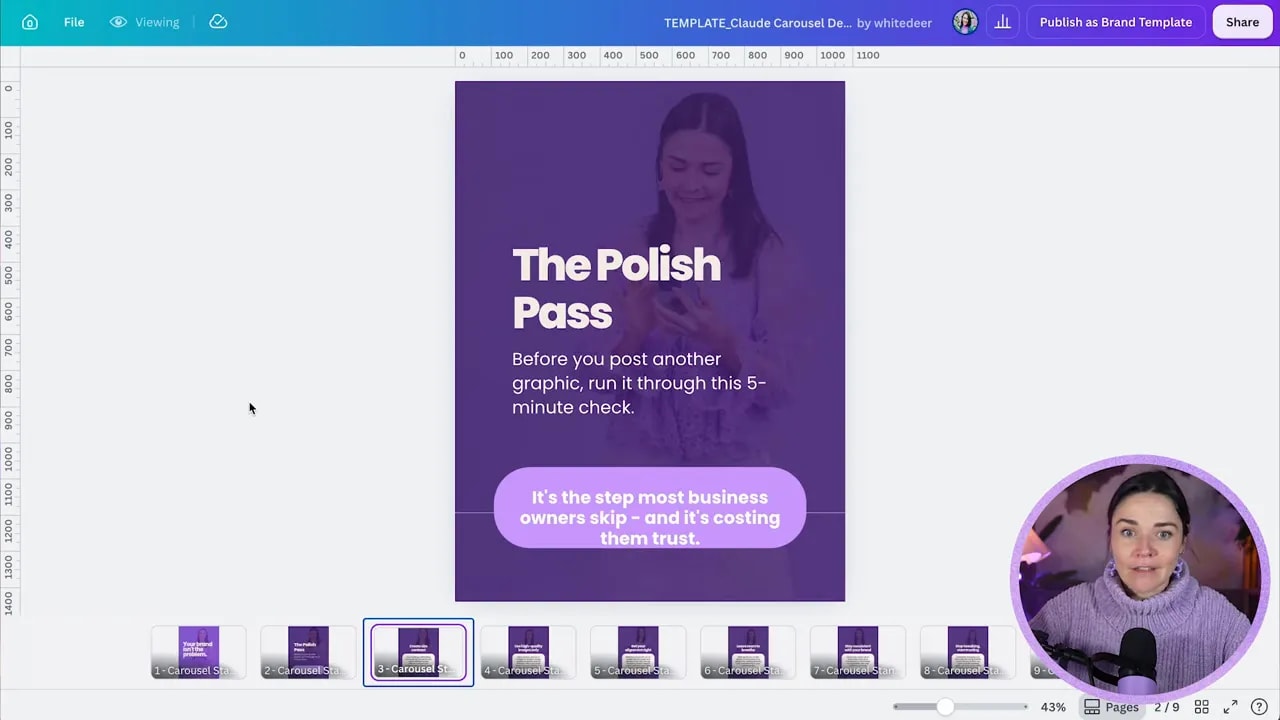
- Interest-building slide: A second hook that gives people a reason to keep reading.
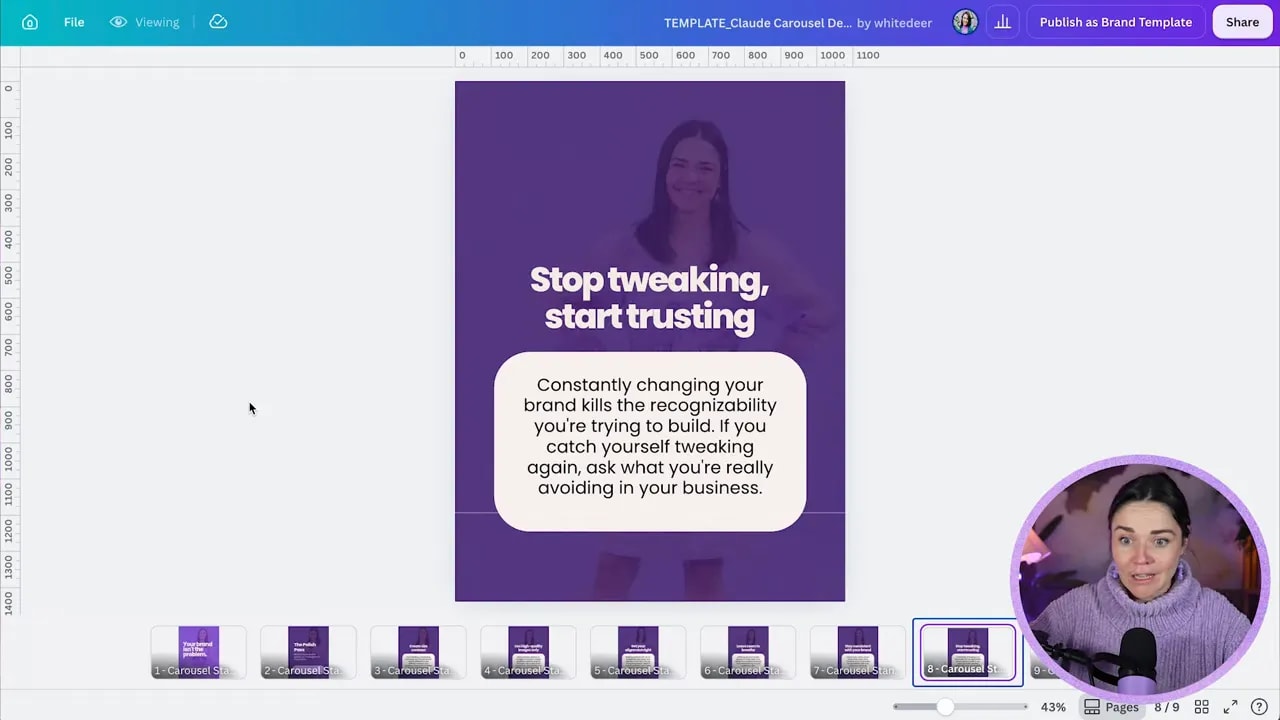
- Tip slides: One repeatable layout for each point, insight, or takeaway.
- Final call-to-action slide: A clear next step, such as listening to your podcast or learning more about an offer.
Your cover needs large text that can catch attention quickly. Avoid cramming heaps of text into every slide. Give the design breathing room, keep distractions to a minimum, and use visual cues, such as a line that continues across slides, to create a sense of flow.
Most importantly, leave enough room inside each text box. Your final copy will not always be exactly the same length, so a little flexibility in the layout saves you a lot of fiddling later.
Step 3: Connect Canva to Claude
Start by creating a Claude account or logging into your existing one. A free account can be enough to begin this process, and Claude’s Sonnet model is plenty capable for this kind of content and design workflow.
To connect Canva:
- Open the sidebar in Claude.
- Select Customize.
- Find the Connectors section.
- Select Add and choose Browse connectors.
- Search for Canva.
- Select the Canva connector and log into your Canva account.
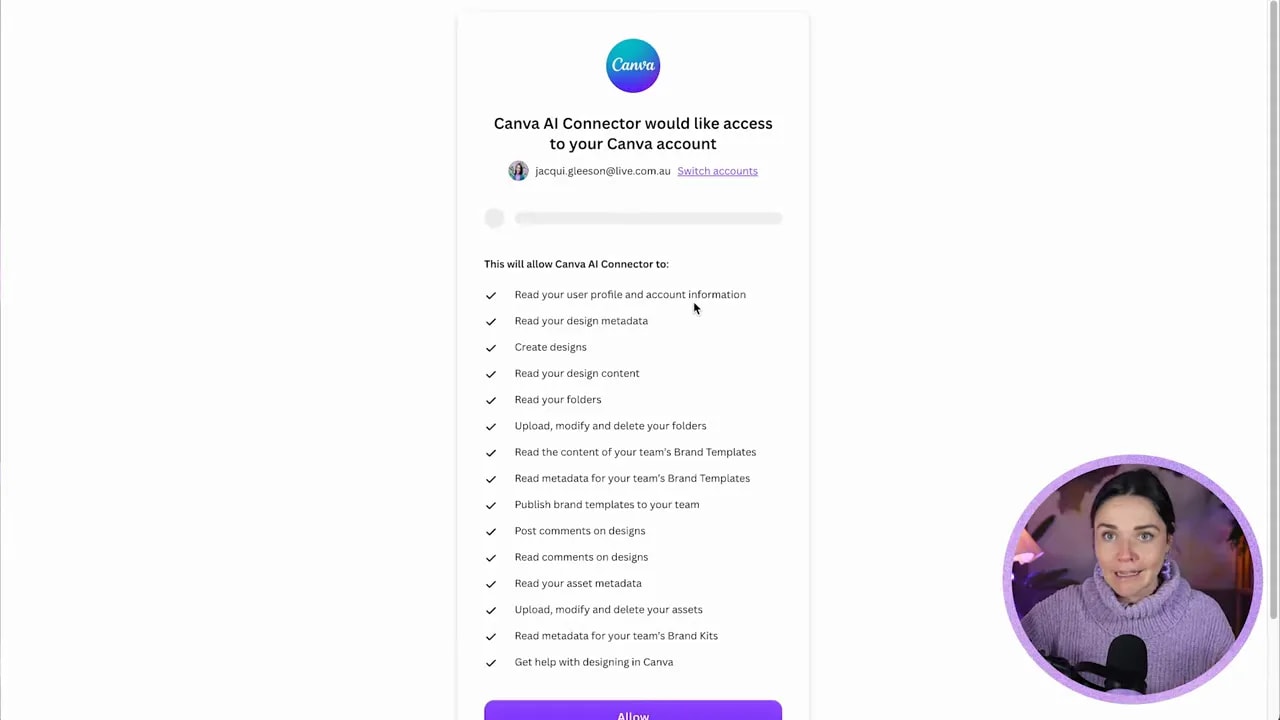
- Read the permissions carefully, then select Allow if you are happy to proceed.
Claude will ask for permission before it carries out particular actions. This is a good thing. You stay in control of what it can access, duplicate, edit, save, or discard.
You can choose whether to approve actions one by one or allow certain actions automatically. Think carefully about what you are comfortable pre-approving. Allowing Claude to create a folder may feel perfectly fine, while allowing it to discard a design may be something you prefer to approve manually.
Step 4: Give Claude your source content
There are two parts to this process:
- Crafting the content
- Crafting the design
You can absolutely write the carousel copy yourself and simply use Claude to populate the Canva design. But if you have a podcast, video, written article, or other long-form thought leadership content, Claude can help turn it into carousel-ready copy first.
Upload your source file to a new Claude chat. For example, you could upload a text document containing a podcast episode transcript and ask Claude to identify the most useful concept or key takeaways for an Instagram carousel.
This is a particularly great way to repurpose content you are already creating regularly. Rather than adding another task to your content plan, you are simply using one piece of content in a more effective way.
Step 5: Write a prompt that matches your template exactly
The quality of Claude’s output depends heavily on the clarity of your instructions. Do not simply ask it to make a carousel and hope for the best. Tell it exactly what each slide needs to contain and how much room it has.
For example, you might ask Claude to create an Instagram carousel based on the concept in your uploaded podcast content, then specify:
- The number of slides you need
- The purpose of each slide
- The desired hook for the cover
- The number of tips or points to include
- The maximum length for headings and supporting copy
- The call to action for the final slide
For a cover slide, you could request a hook that is three to nine words long, followed by one short supporting sentence. By giving Claude these boundaries, you reduce the chance of receiving two paragraphs of copy for a space that can only fit a sentence.
A practical prompt structure
You can adapt the following structure to your own carousel template:
Help me create an Instagram carousel based on the uploaded content.

Please follow this exact structure:

Slide 1:
- A bold hook of 3 to 9 words
- One supporting sentence

Slide 2:
- A second hook that creates curiosity
- Short supporting copy

Slides 3 to 7:
- One clear tip or key takeaway per slide
- A short heading
- One concise explanation that fits inside a small text box

Final slide:
- A call to action inviting people to explore the full content

Keep the language clear, useful, conversational, and concise.
When Claude gives you the copy, read it. You can refine it in Claude before moving into Canva, or edit it later in Canva. Either way, do not skip this stage. Your ideas and expertise should still sound like you.
FREE Design Tools to $100k Masterclass
Grow your biz with clever design and Canva hacks that will save you hours and make you sales.
Step 6: Ask Claude to duplicate and update your Canva template
Once you are happy with the carousel copy, tell Claude to use the Canva connector to find your design by its exact title.
Copy the design name directly from Canva and paste it into your request. Exact titles make it far easier for Claude to find the correct file, especially if you have several similar designs in your Canva account.
Then give Claude clear instructions to:
- Duplicate the design, rather than overwrite the original template
- Replace the text using the approved carousel copy
- Duplicate your repeatable tip slide as many times as necessary
- Update selected images using a specified Canva folder
- Leave any slides you do not want changed exactly as they are
Duplicating your template is crucial. You want one clean original sitting safely in Canva, ready for next week. Claude should work from a copy, not your master design.
For example, if you have a folder of brand photographs, you can ask Claude to update the images on every slide except your final call-to-action slide. Being this specific removes another manual task while keeping your content visually consistent.
Claude may ask for approval to copy the Canva design, edit it, add slides, or save the completed file. Approve each action according to the permissions you are comfortable with.
Step 7: Make sure you receive an edit link, not just a view link
Once Claude has completed the design, it may provide a Canva link. Pay close attention to whether that link gives you view-only access or editing access.
If you receive a view link, simply ask Claude for the edit link. A view-only link lets you see the finished carousel, but you cannot move text, change photos, fix alignment, or make the important final adjustments.
This tiny step can trip people up, so make it a habit to check it immediately.
Step 8: Give the carousel a proper human polish pass
This is where your human brain comes in, because it is really good. Claude can do an incredible amount of the heavy lifting, but you should never treat the first output as perfect just because it is fast.
Open the editable Canva design and work through every slide. Your polish pass might include:
- Changing a hook that sounds fine in theory but does not feel strong on the actual slide
- Removing emojis or details that may not save or display as intended
- Making text larger or moving it for a more balanced layout
- Adjusting line breaks to make the copy easier to read
- Left-aligning text where it improves readability
- Checking that text has enough breathing room
- Replacing similar-looking images with more varied photos
- Ensuring every photo and piece of copy feels right for your brand
- Double-checking alignment across the whole carousel
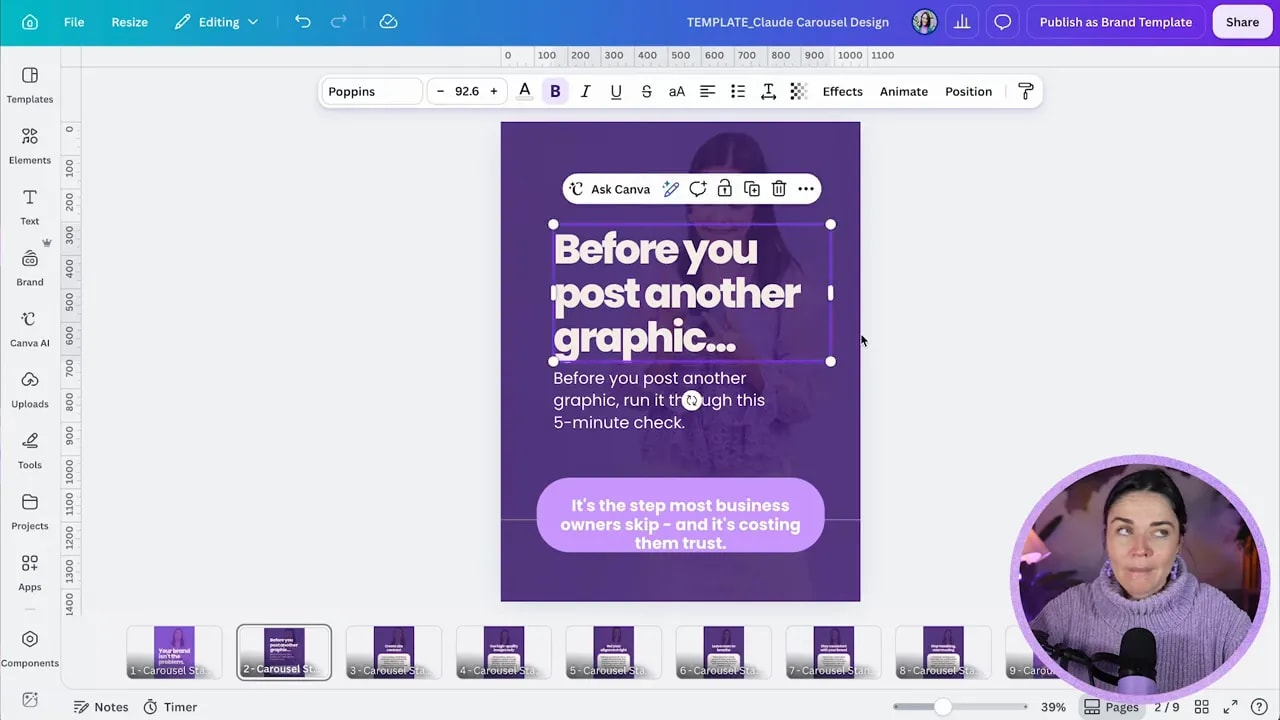
You might find that a line Claude created is perfectly acceptable, but a stronger version becomes obvious when you see it in the design. That is not a failure of the system. It is exactly why you are still the creative director.
For example, a generic title might become a more compelling hook such as: Before you post another graphic, run it through this check. Then you can introduce the idea or framework on the next slide.
Step 9: Export your finished carousel and post it
Once you have checked the copy, layout, imagery, and alignment, your carousel is ready to go.
You can download the finished design as a PNG from Canva and post it manually to Instagram. You can also share directly from Canva, although downloading first gives you more flexibility if you want to add audio or use other Instagram settings.
The biggest win is that the repetitive work happens while you focus on something else. While Claude is building the carousel, you can plan your next podcast episode, work on client projects, or get on with the many other jobs in your business.
Then, each week, you return to the same process:
- Start with your existing content.
- Use your established branded template.
- Ask Claude to create and insert the copy.
- Review the editable Canva design.
- Make your quick human refinements.
- Export and post.
That is how you create branded Instagram carousels more quickly without losing the strategy, intention, and unique style that make your content worth reading.
Step 10: Strengthen your brand before you automate it
If this process sounds amazing but you do not yet feel confident with Canva or do not have a clear brand to apply to your templates, build that foundation first. Automation works best when it is supporting a strong visual system, not trying to invent one for you.
You can join the free Design Tools to $100K masterclass for practical guidance on design mistakes that may be costing you clients, applying a brand to a template, creating your own brand, Canva shortcuts, and more free templates.
If you would like more design support, you can also explore the free White Deer resources or take the brand style quiz to get clearer on the direction your business should take.
Step 11: Get the carousel template
If you would like a copy of the carousel template used for this workflow, send the keyword bubblepop, all one word, by Instagram message. You will receive a copy that you can make your own inside Canva.
Make sure you customise the colours, fonts, imagery, and styling before you begin using it on repeat. Then you have a reusable content system that makes posting feel a whole lot less monotonous.
Message White Deer on Instagram to request the template.