











If you have never opened Canva (or you opened it once and immediately felt overwhelmed), this is for you.
Canva is an incredible free design tool you can use right away for business graphics. The key is knowing where everything is and how to set yourself up so you do not get lost.
Table of Contents
- Step 1: Know how you can access Canva (browser, app, and mobile)
- Step 2: Understand Canva plans (Free vs Pro)
- Step 3: Create your free Canva account (the right way)
- Step 4: Choose your preferences (then skip the paid signup)
- Step 5: Turn the homepage into something you actually understand
- Step 6: Use the sidebar correctly (so you never feel “lost”)
- Step 7: Use the search bar and name your designs (this prevents chaos)
- Step 8: Choose the right type of design (and know what your options mean)
- Step 9: Customize your canvas size and add the right assets
- Step 10: Get inspired by what is possible in Canva
- Ready for the next step?
Step 1: Know how you can access Canva (browser, app, and mobile)
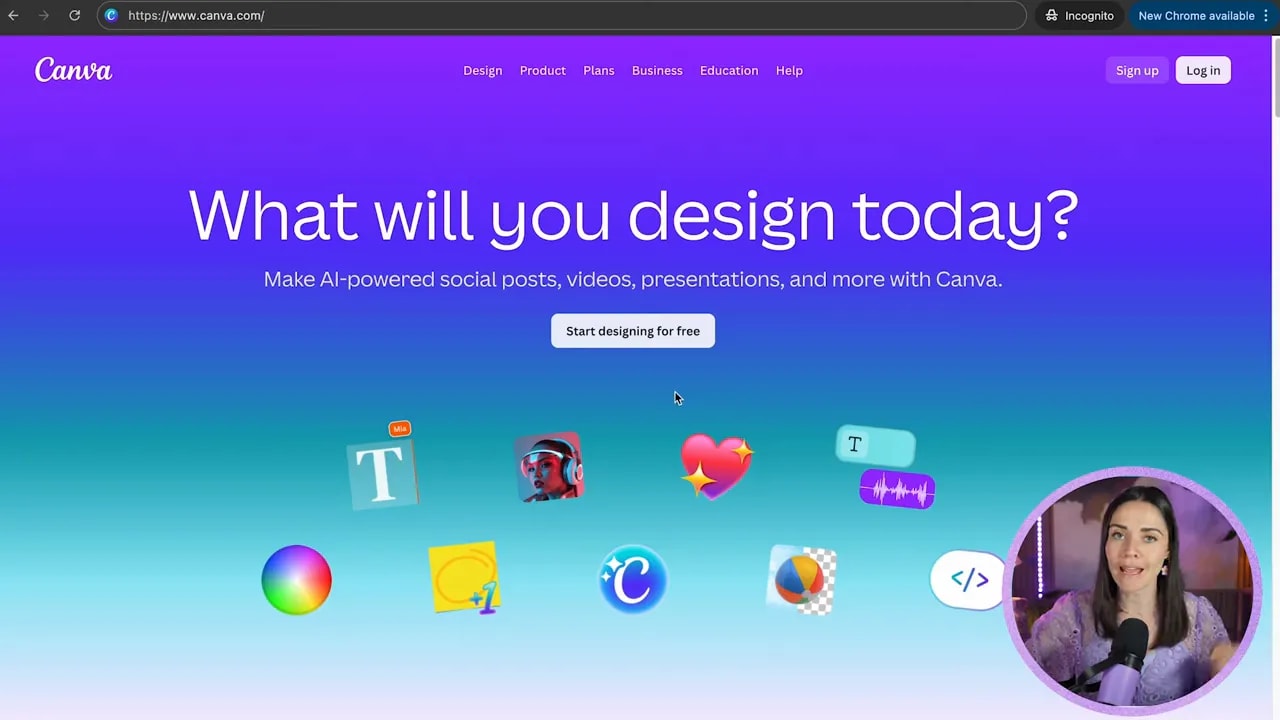
Start by going to canva.com in your browser. That is the easiest and quickest way to learn, and it has the most flexibility.
Canva works in a few different ways:
- Browser on your computer (recommended for learning)
- iPad or phone apps (free, but slightly limited)
- Free desktop app (works very similarly to the browser version)
Step 2: Understand Canva plans (Free vs Pro)
Canva has multiple plans, including:
- Canva Free
- Canva Pro
- Business, Enterprise, and Education options
The good news: you can absolutely start with Canva Free and be productive immediately. You can upgrade to Pro later if and when you need features for your business.
If you are using Canva for small business work at the beginning, you typically only need Pro when you are ready for the upgraded tools. For your first start, Free is totally fine.
Step 3: Create your free Canva account (the right way)
Go to canva.com.
- Click Sign up in the top-right corner.
- Choose how you want to sign up: Google, email, Apple, or Facebook.
- My personal preference is email because it gives you more control over your account details long-term.
- Use an email you plan to keep using. That way you avoid confusion from having multiple Canva accounts.
- Enter your name, then continue.
- Confirm your email using the code Canva sends you.
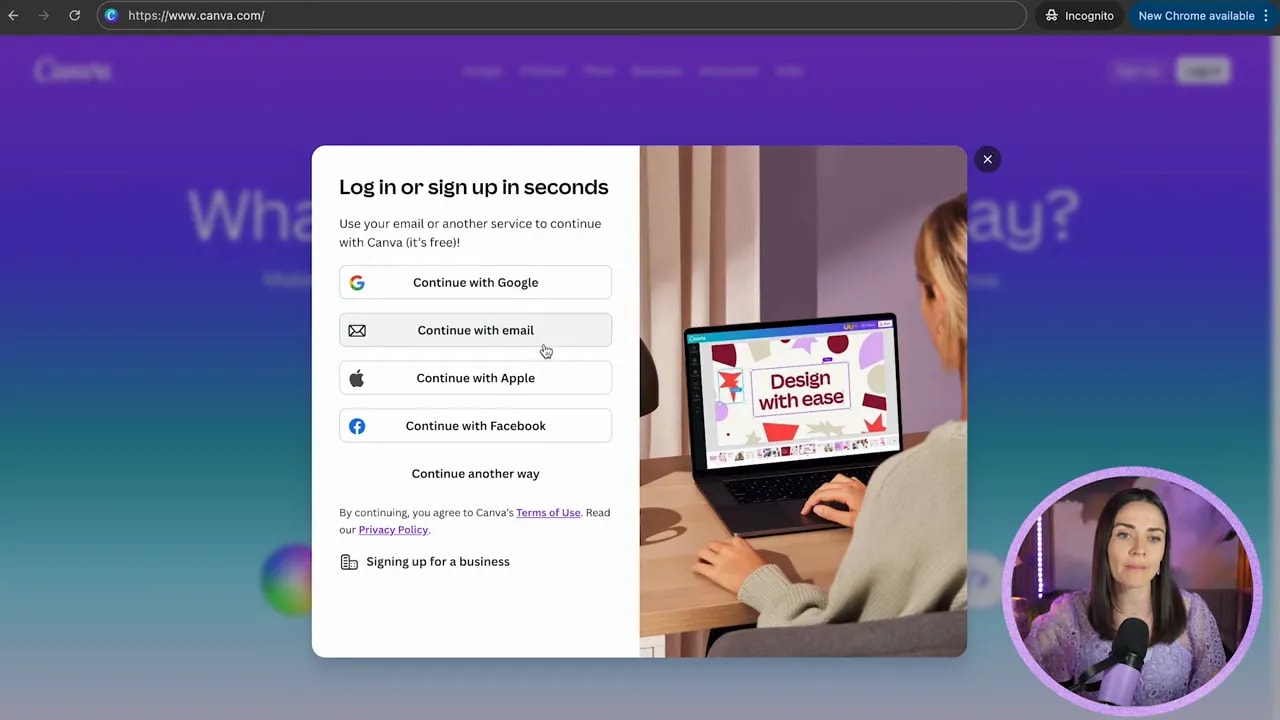
Step 4: Choose your preferences (then skip the paid signup)
After you sign up, Canva asks a few questions so it can recommend better content.
Then you will see an option to sign up for a paid plan. You do not have to.
If you want to use Canva Free, simply choose Skip and move on.
Step 5: Turn the homepage into something you actually understand
Once you log in, you will land on the Canva homepage.
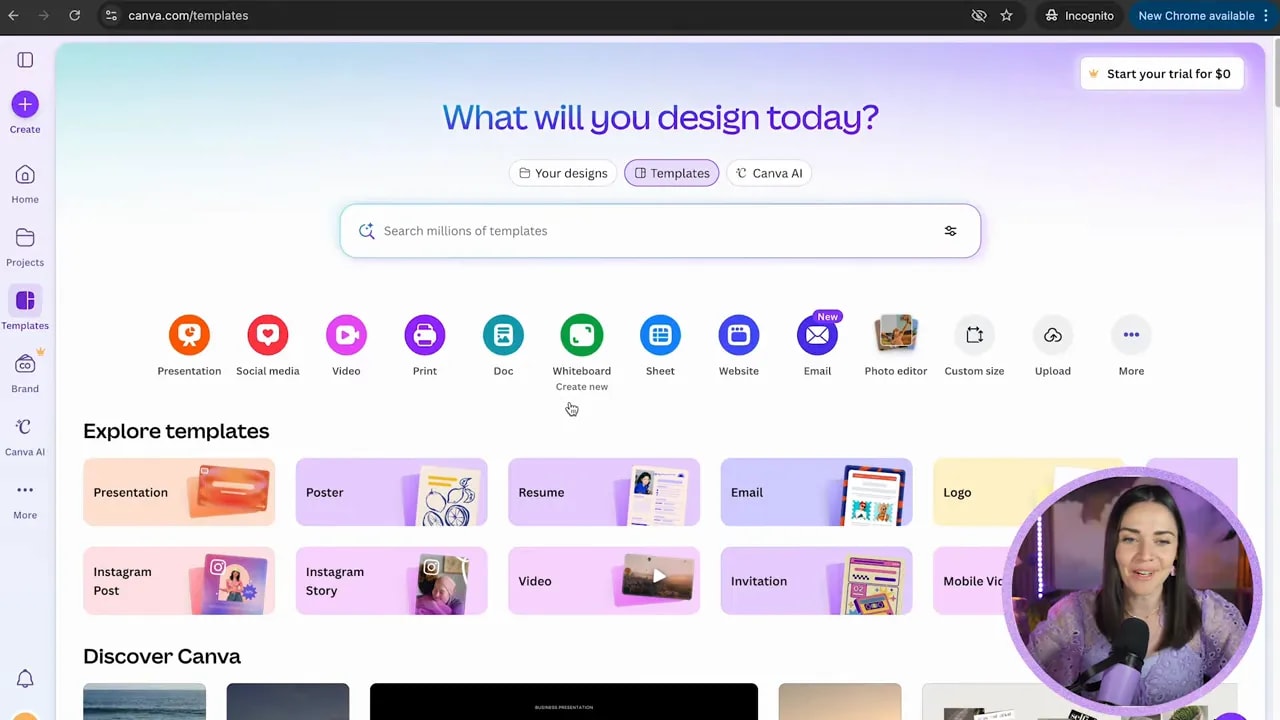
At a high level, you will see three main areas:
- A left sidebar (navigation)
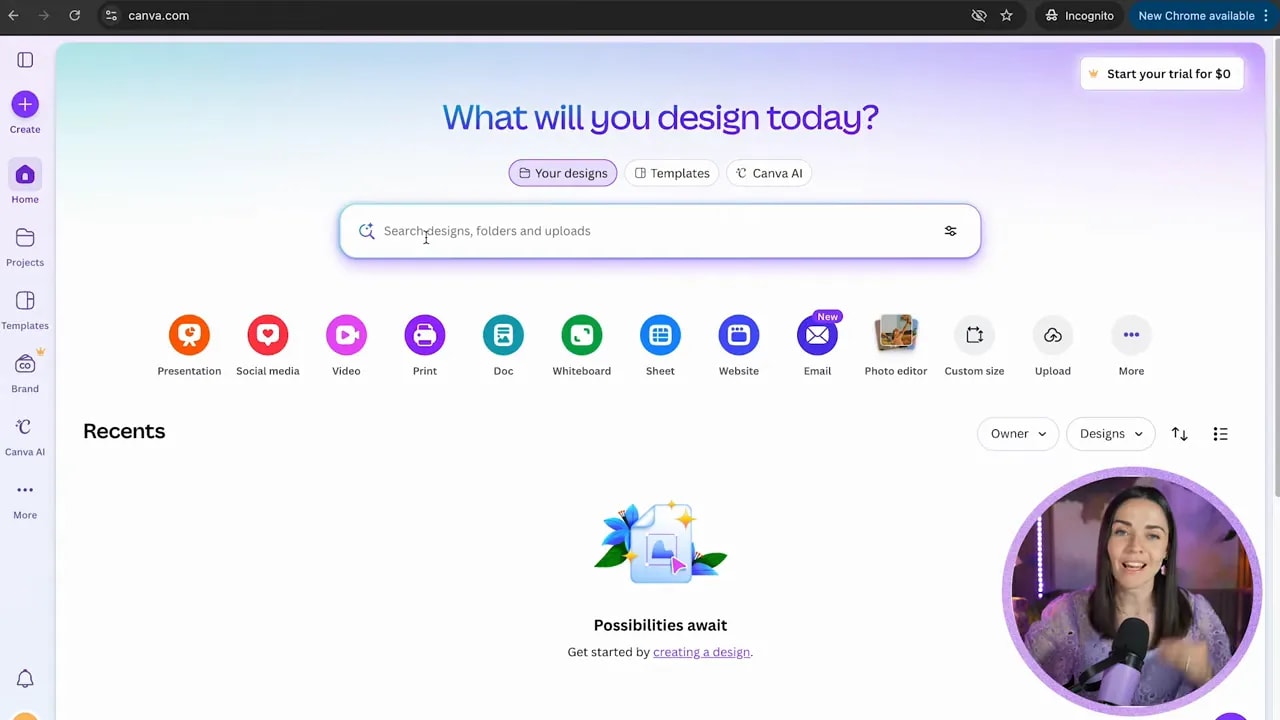
- A search bar (where you find designs and templates later)
- A section with templates (handy, but can be overwhelming if you start there)
Step 6: Use the sidebar correctly (so you never feel “lost”)
The sidebar is where most beginners struggle, because it looks like a lot of options. You only need to learn what each part does.
Create
This is a simple starting point for beginning a design.
Home
This returns you to the homepage.
Projects
This is one of the most important areas. Projects is where your designs live.
FREE Design Tools to $100k Masterclass
Grow your biz with clever design and Canva hacks that will save you hours and make you sales.
You can also:
- Organize work into folders
- Store uploaded photos you use often
- Keep related designs together
Templates
Canva includes a lot of templates, and even Free accounts have access to many. Templates can be useful if you are starting from scratch.
One beginner-friendly tip: accessing templates is often easiest once you are already inside a design workflow. Starting there can feel overwhelming, so take your time.
Brand Kit (Pro feature)
If you do not have Pro yet, you will not see Brand Kit options. When you upgrade, Brand Kit becomes a fast “one-click” home for things like:
- Logos
- Fonts
- Colors
- Reusable elements and photos
Canva AI
Canva includes AI features right inside the platform. You do not need to use them at first, but they are there.
More / Apps / Grow / Content planner / Design school
These are extra tools and resources. You do not need to worry about them in the beginning, but it is helpful to know they exist.
Step 7: Use the search bar and name your designs (this prevents chaos)
After you start designing, you will spend time in the search bar. The biggest mistake beginners make is not naming their files, which leads to that frustrating “where is that thing?” feeling.
Simple rule: label your designs well. If you name everything clearly, you will find your work fast.
Step 8: Choose the right type of design (and know what your options mean)
Canva supports a wide range of business-friendly outputs. Here are the main design categories you will commonly use:
- Presentation deck and slides
- Social media graphics
- Videos
- Print graphics like flyers and postcards
- Documents (similar to an “always available” doc format)
- Whiteboard (endless canvas for brainstorming)
- Sheets (similar to spreadsheets, built right into Canva)
- Websites and email layouts
Step 9: Customize your canvas size and add the right assets
If none of the listed options match what you need, choose custom size.
You can also upload your own photos, graphics, and branding elements.
One more thing that surprises people: within one Canva project, you can include different types of graphics on different pages. For example, you can start with a social media post and later add a spreadsheet, website layout, or whiteboard content in the same overall design workflow.
Step 10: Get inspired by what is possible in Canva
Here is the best motivation to keep you going when you are just starting out.
Even if you are qualified in traditional design tools (like Photoshop or Illustrator), Canva can still be the faster, simpler option for small business graphics.
In fact, one student created a podcast cover entirely in Canva. It was already good, but after updating it with better design choices inside Canva, her podcast downloads doubled compared to before the update.
So yes, Canva can make polished, high-quality work. You do not need to be a graphic designer to get results.
Ready for the next step?
Now that you understand the homepage, sidebar, and how to choose design types, the next focus is learning how to start a design properly every single time.
That is where the real confidence kicks in.
FREE Design Tools to $100k Masterclass
Grow your biz with clever design and Canva hacks that will save you hours and make you sales.