












Can you make a logo in Canva? Absolutely. Canva is a design tool, and you can create a beautiful, professional logo that serves your business for years.
But you need to do it strategically. A logo that looks cute on the Canva page can become blurry, unrecognisable, generic, or difficult to use once it reaches an Instagram profile photo, invoice, T-shirt, website favicon, or billboard.
Your goal is not simply to make a logo. Your goal is to create a logo you can use confidently, consistently, and practically across your whole business.
A quick note: this is design guidance, not legal advice. If you need specific legal advice about trademarks, copyright, or licensing, speak with a qualified legal professional.
Table of Contents
- Step 1: Keep Your Logo Icon Simple
- Step 2: Create Something Original Instead of Using Canva Templates and Elements
- Step 3: Save Your Canva Logo Files Correctly
- Step 4: Create the Logo Variations Your Business Actually Needs
- Step 5: Use This Final Canva Logo Checklist
Step 1: Keep Your Logo Icon Simple
One of the biggest giveaways of an obvious DIY logo is a super complicated icon. It is so tempting to make one tiny graphic explain every single thing about your business, your audience, your offer, and your personality. But that is exactly when a logo starts to get messy.
A logo generally has up to three parts:
- Logotype: your business name in text.
- Icon: a small illustration, graphic, or symbol.
- Tagline: a short phrase explaining what you do.

You do not need every part in every logo. You might use only a logotype, which is completely workable. You may have no tagline in your main version. The key is understanding that each part has a job, and your icon does not need to carry the entire brand on its little shoulders.
Design for small and large placements
Your logo has to work in wildly different places. It might sit inside a tiny social media display image one day and appear on a letterhead, cap, flyer, T-shirt, or large-format sign the next.
If your icon is overloaded with tiny details, it will become unclear when it is reduced in size. Fine lines disappear. Small text becomes unreadable. Complex illustrations turn into visual mush.
Simple icons work because they stay recognisable. A letterform, flower, heart, eye, garden pot, seahorse, or abstract squiggle can all be brilliant when they are clean and thoughtfully designed.
Test your logo before you commit to it:
- Make it very small and check whether you can still recognise it.
- Look at it from a distance.
- Try it in one colour.
- Place it on a plain background and a busy background.
- Check whether the business name remains readable.
Take pressure off the logo
Your logo is important, but it is not your entire visual brand. Your brand is the overall feeling and identity that helps people distinguish you from another business.
That includes your voice, message, and quality, but visually it includes far more than your logo: your colours, fonts, photos, illustrations, graphic elements, and overall style.
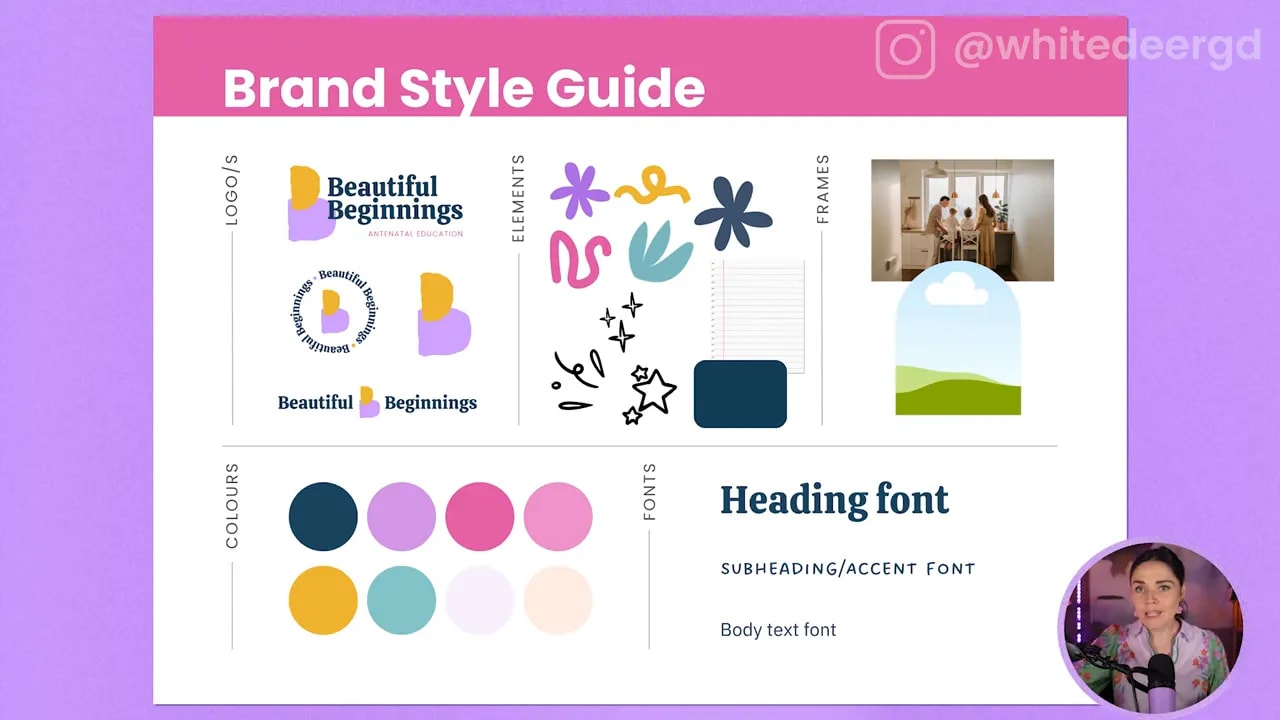
This is why simply placing your logo onto a social media graphic does not automatically make it feel like your brand. Your brand becomes recognisable when all the visual pieces work together consistently.
So, do a great strategic job with your logo, but stop expecting it to say everything. A simple, flexible logo plus a strong visual brand is a much more powerful combination.
Step 2: Create Something Original Instead of Using Canva Templates and Elements
Canva has gorgeous logo templates. It also has a mountain of lovely elements. The issue is not that they are ugly or unusable. The issue is that they are available to everyone.
If you choose a pre-made logo template, change the business name, and call it done, another person can choose that exact same layout and do the same thing. Your logo will not be truly unique to your business.
You can use Canva templates and elements legally within Canva’s licensing framework, but a template-based logo is not something you fully own as an original brand mark. You also cannot rely on it as a design you can exclusively trademark or copyright.

Keep Canva elements for supporting graphics
Canva elements can still be incredibly useful across your brand. Use them in social media graphics, presentations, worksheets, lead magnets, and decorative brand assets.
They are perfect for supporting your visual style. They are just not the best choice for the main symbol that represents your whole business and may need to be legally protected in the future.
Use shapes to build a unique logo
The better alternative is to use Canva as the design tool it is, rather than treating it as a pre-made logo generator.
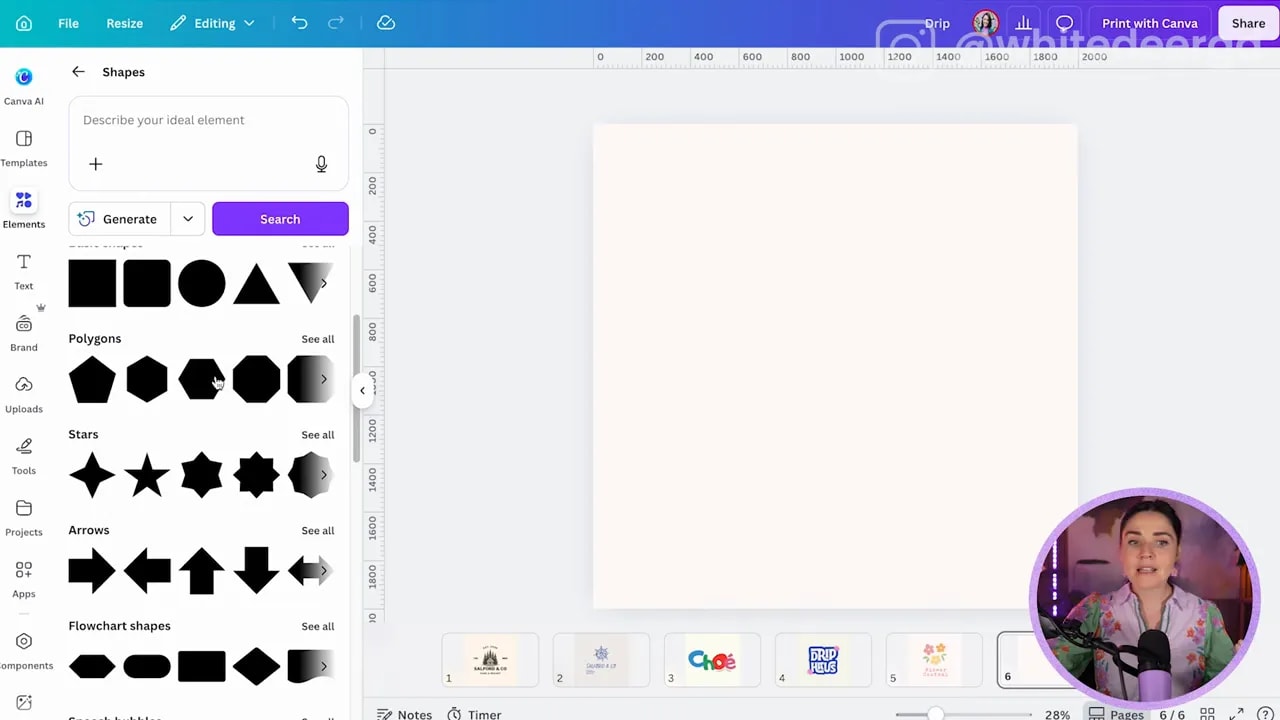
Start with basic shapes. Nobody owns a circle, square, rectangle, line, pentagon, or star. When you combine simple shapes in a clever and original way, you can create a logo that is unique to you.
A surprisingly polished icon can be made from nothing more than:
- Circles and rounded circles
- Rectangles stretched or squashed into new proportions
- Lines
- Basic star-like forms
- Simple colour combinations
The magic is not in finding a fancy premade illustration. It is in the way you bring your chosen shapes together.
Draw your own icon if it suits your brand
You can also draw your own logo mark. If you are an artist, illustrator, or simply have an idea that feels personal, begin on paper or use Canva’s Draw feature.
A hand-drawn flower, squiggle, or illustration can become a beautiful custom logo element. You can photograph a paper sketch, bring it into your design process, and vectorise it so it becomes an editable graphic to use going forward.
Do not chase the quickest option if it leaves you with a generic brand. Choose the professional option that does your business justice and can grow with you.
FREE Design Tools to $100k Masterclass
Grow your biz with clever design and Canva hacks that will save you hours and make you sales.
Step 3: Save Your Canva Logo Files Correctly
You can create a beautiful logo and still end up with a frustrating result if you save the file incorrectly. Poor file choices can create a white background box, a pixelated logo, or a file that is difficult to reuse.

Avoid JPEG files for your logo
A JPEG file has a solid background. In practice, that usually means a white box around your logo. When you place that JPEG onto a coloured presentation, social media post, or website graphic, the white rectangle remains visible.
You can crop it, but you cannot remove that baked-in background cleanly. It is not the flexible logo file you want.
Do not export at a tiny size
A low-resolution image may look acceptable at first glance, but zoom in and it quickly becomes blurry and pixelated. It does not look professional, and it will limit where you can use your logo.
Your logo should stay crisp and clear. You should not need to worry every time you enlarge it for a new design.
Use a transparent PNG when needed
If you have Canva Pro, you can download a selected logo with a transparent background. A transparent PNG is a solid option when you need a high-quality logo without a background box.
In Canva, select your logo, use the download selection option, choose PNG, and tick Transparent background.
If you do not have Canva Pro, a workable alternative is to group your logo, copy it, and paste it directly into other Canva designs. It is not the ideal long-term system, but it keeps the logo editable and high quality within Canva.
Save an SVG as your best logo file
The top-tier logo file is an SVG. An SVG is a vector file, which means it remains sharp no matter how large or small you make it.
With Canva Pro, download your selected logo as an SVG and tick Transparent background. When you upload the SVG back into Canva, it stays crisp and can often have its colours changed directly inside Canva as needed.
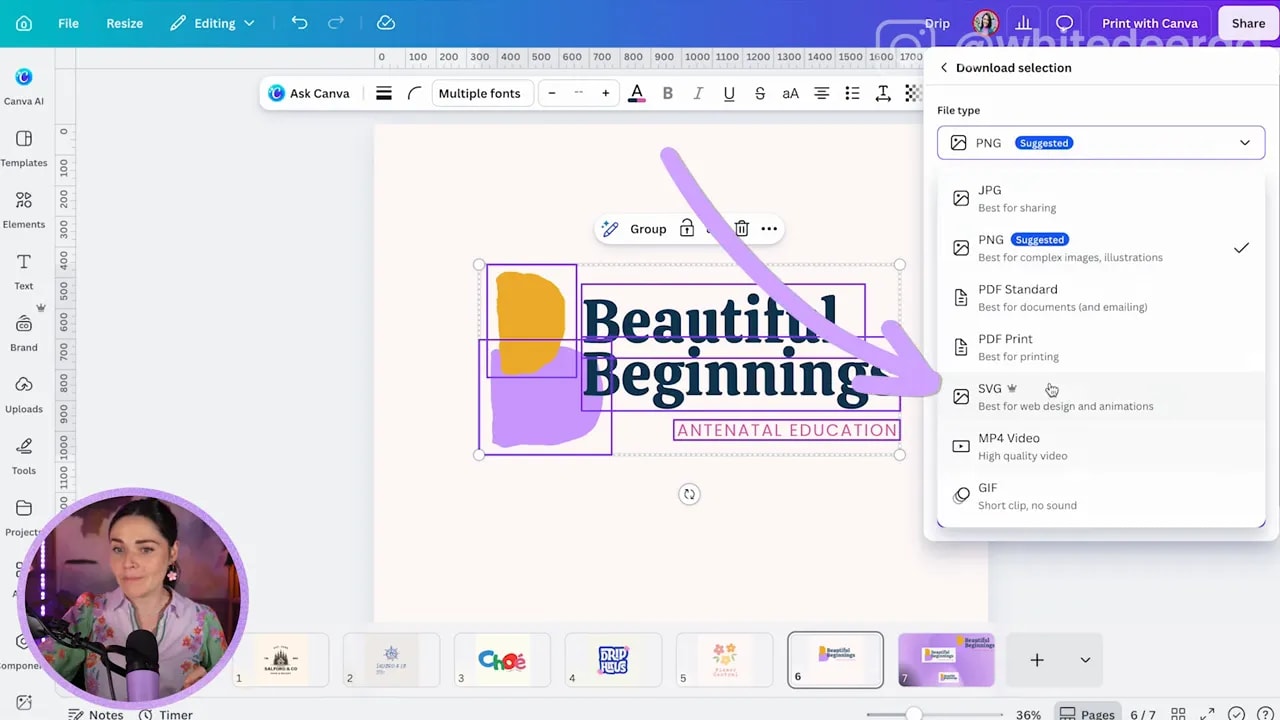
That flexibility is exactly what you want. Your logo should work beautifully without a background and without losing quality.
Step 4: Create the Logo Variations Your Business Actually Needs
You do not need one logo. You need a small logo suite.
Different placements need different formats, which is why a single horizontal logo is never enough. The version that looks perfect on a website header may be completely wrong for a tiny favicon or a square social media profile image.
At minimum, create these versions of your logo.
1. A stacked logo
Your stacked logo is the taller, more compact version. You may stack the words of your business name, place the icon above the text, or put the icon beside stacked text.
This version is particularly useful in square or vertical spaces.
2. A long horizontal logo
Your long version is the widest layout. You may place the icon at the beginning of the business name or position it between words.
This is often useful for website headers, email footers, banners, and other wide placements.
3. A version with your tagline
A tagline can add helpful context, but it should not appear in every version. When your logo is small, the tagline will be too tiny to read, so keep a tagline version for larger placements where it has room to breathe.
4. Your icon on its own
Your icon-only logo is useful for tiny spaces such as favicons, profile images, app-style graphics, and subtle brand references. It gives you a recognisable mark when the full business name simply will not fit.
5. An optional submark
If you want to get fancy, create a submark. A submark is an abbreviated version of your logo, often based on initials, a monogram, or a condensed version of your icon.
For example, if your business name has two prominent initials, you might create a stylised monogram from them. A submark is useful when you have very little room but still want a clear brand reference.
Step 5: Use This Final Canva Logo Checklist
You can absolutely DIY your logo while making it look professional. The difference is in being strategic rather than simply choosing the first cute design you find.
Before you finalise your Canva logo, run through this checklist:
- Keep the icon simple: make sure it stays clear when reduced in size.
- Build a full visual brand: use colours, fonts, elements, imagery, and style to carry your brand personality.
- Avoid Canva templates and elements for the main logo mark: create an original icon using shapes or your own drawing.
- Save files properly: avoid JPEGs, use transparent PNG files when needed, and save SVG files where possible.
- Create logo variations: prepare stacked, horizontal, tagline, icon-only, and optional submark versions.
When you get these pieces right, you give yourself a logo that is versatile, high quality, and genuinely useful across your business for years to come.
If you want extra support with building your logo, full visual brand, colours, fonts, and ongoing business graphics, you can join the free Canva design masterclass or explore DIY Design My Biz for step-by-step guidance.