













If you have ever thought, “I love this brand look, but the font in Canva is not quite right,” here is the good news: you are not stuck with Canva’s default font library.
With Canva Pro, you can upload fonts you have downloaded or purchased from anywhere online, then use them across your designs and in your Brand Kit. The best part is consistency. Your business graphics can look like your brand, not like a template.
You do, however, need to be careful about one big thing: font licensing. Downloading a “free” font does not always mean you can use it commercially. The wrong license can lead to annoying (and expensive) problems.
Table of Contents
- Step 1: Make sure you have Canva Pro (and know what it enables)
- Step 2: Find fonts you can legally use (commercial licensing matters)
- Step 3: Download the font file (and unzip it)
- Step 4: Upload your font in Canva Pro using Brand Kit
- Step 5: Alternate way to upload fonts directly (upload a font from the font menu)
- Step 6: Avoid the most common font mistakes
- Step 7: Keep your brand looking consistent
- Ready to build a better font library for your business?
Step 1: Make sure you have Canva Pro (and know what it enables)
Uploading fonts into Canva is a Canva Pro feature. If you do not have Pro, you will not see the “upload a font” options in the right places.
Canva Pro is usually a smarter move than hiring a designer for every small branding need. It lets you keep control of your brand system while you create your graphics in-house.
Step 2: Find fonts you can legally use (commercial licensing matters)
This is the part people skip, and it is where you can get burned.
When you download fonts, you need to verify they include the right commercial usage rights for what you are doing, such as:
- Ads and promotional graphics
- Social media marketing
- Branding for your business materials (logos, flyers, packaging)
It is common for “free” fonts to come with rules, and sometimes those rules can vary by creator. Some font licenses even distinguish between personal use and business use.
Also note: if a designer created your brand for you, do not assume you automatically own the font license. You may need to purchase the license yourself (unless they purchased it on your behalf).
Credible places to download or purchase fonts
You have a lot of options. Here are some sources mentioned in the process, including both free and paid libraries:
- Google Fonts (often free to use, but still check the license terms for your use case)
- MyFonts
- Fontspring
- Etsy (font licensing is usually included in each listing)
- Creative Market
- Creative Fabrica (subscription option or one-time purchases)
Practical tip: subscription font libraries like Creative Fabrica can be helpful because they let you test multiple font styles quickly. Sometimes you want to try a font pair before committing to a more expensive purchase.
Step 3: Download the font file (and unzip it)
Most font downloads come as a zip file. Before you can upload to Canva, you need to unzip it.
On a Mac, it is usually as simple as double-clicking the zip file. On a PC, you can unzip via your operating system tools (or follow quick instructions if you are unsure).
Inside the unzipped folder, you are typically looking for font files with extensions like:
- TTF (TrueType Font)
- OTF (OpenType Font)
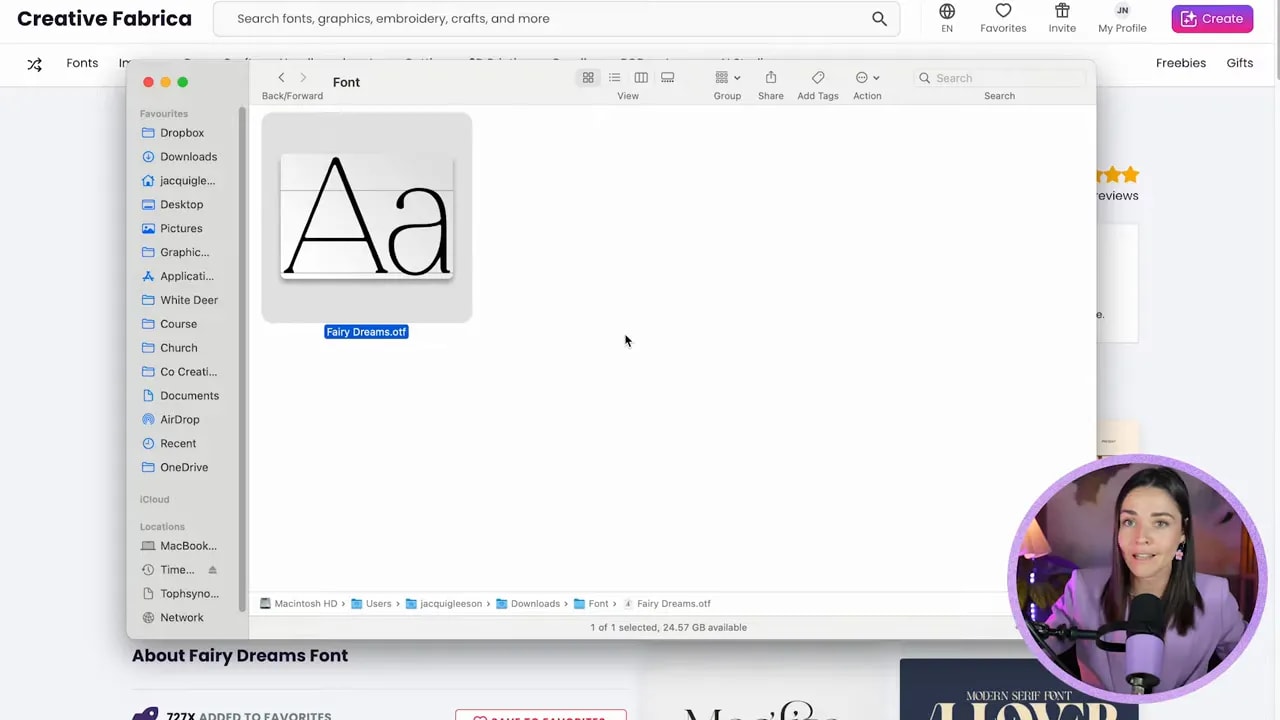
Some font families include multiple styles, like Regular and Bold. If you want both weights in your designs, you should upload both files.
Step 4: Upload your font in Canva Pro using Brand Kit
Your first (and easiest) workflow is to upload fonts through Brand Kit. This keeps your brand fonts organized, and it makes your design workflow faster.
FREE Design Tools to $100k Masterclass
Grow your biz with clever design and Canva hacks that will save you hours and make you sales.
Go to Canva and open the left-hand panel, then find Brand to access your Brand Kit.
In Brand Kit, you can upload brand fonts, logos, and brand colors. To add a custom font:
- Open Brand Kit
- Find Fonts
- Scroll down to Manage uploaded fonts
- Select Add new
- Choose the unzipped font file from your computer
- Confirm Canva’s upload prompt (after you have checked the license and rights)

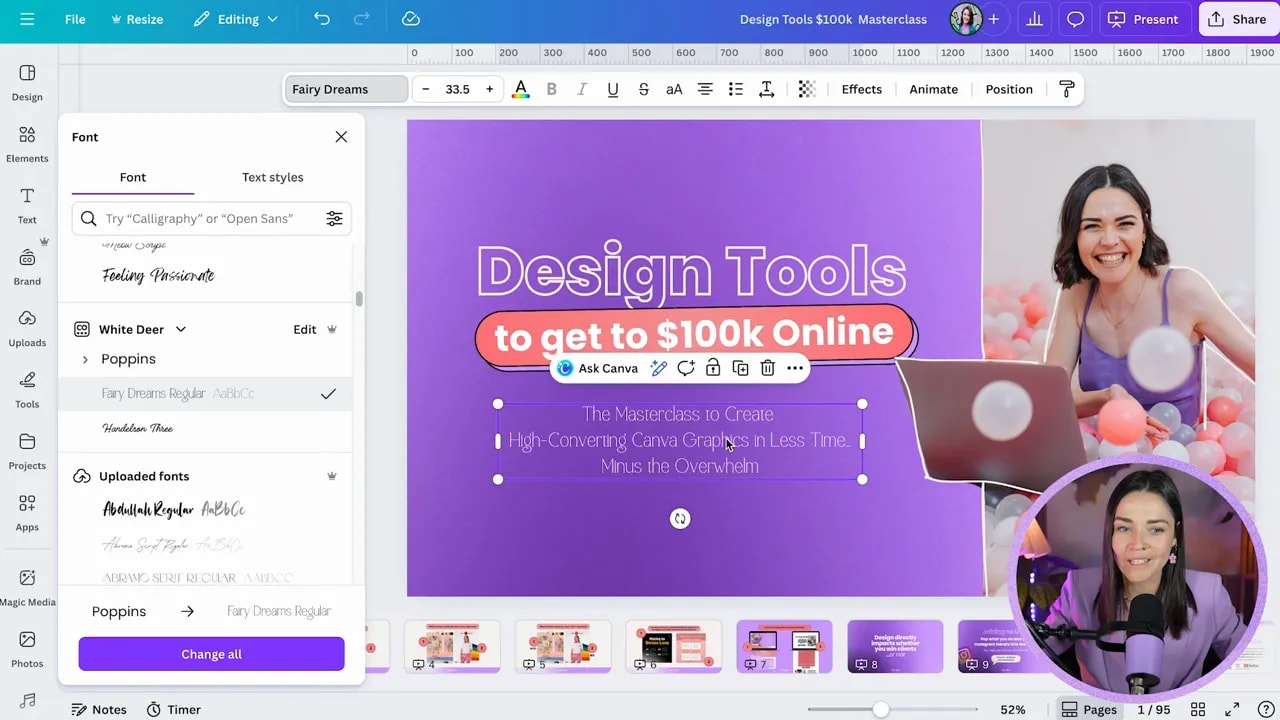
Once the font appears in Uploaded fonts, you can start using it in your designs and also keep it available inside your Brand Kit.
To use it:
- Open any design
- Select the text
- Change the font
- Scroll to your Brand Kit fonts and choose the custom one
Step 5: Alternate way to upload fonts directly (upload a font from the font menu)
If you prefer, you can upload fonts directly from the font selection area.
Here is the alternate method:
- Open any design and click a text element
- Open the font dropdown
- Look for Upload a font at the bottom
- Select your font file(s) from your computer
- For multiple files (like Regular and Bold), select more than one at once (Command on Mac or Control on PC)
- Confirm and upload
Canva will then add your font to the Uploaded fonts section. If you uploaded multiple weights, you will see a small arrow that lets you switch between variants (like Regular vs Bold).

When you highlight text, you can use Canva’s Bold button to switch the text styling to the bold font variant (assuming you uploaded both).
Step 6: Avoid the most common font mistakes
Custom fonts can make your brand look instantly more “you,” but only if you use them correctly. Keep these reminders close:
- Check commercial licensing. “Free” does not always mean “free to use in business marketing.”
- Confirm you have rights for your specific usage. Some licenses restrict ads or certain media types.
- If a designer created your brand, verify the font license. You may need to purchase it yourself.
- Upload the right weights. If you want bold text, upload both the regular and bold files so Canva can toggle properly.
- Use fonts that match the job. If a font is decorative and hard to read, use it for headings, not body text.
Bonus: test fonts without wasting time
If you are still learning what fonts communicate (and how to pair fonts well), it is totally normal to experiment. Subscription platforms can be useful because you can try multiple options quickly, see how they look in your wording, and build a set that fits your brand voice.
Step 7: Keep your brand looking consistent
Once your custom fonts are uploaded, you can standardize your brand designs. That means:
- Less time re-picking fonts across templates
- More cohesive visuals across social media posts, ads, presentations, and print
- Fewer “why does this look off?” moments
And honestly, that confidence matters. Your graphics start looking like they belong to a real business, not a random mix of design choices.
Ready to build a better font library for your business?
Custom fonts are powerful, but they work best when you understand licensing, font readability, and how font pairing affects your brand.
Start by choosing one brand font for headings and one for body text. Upload them into Canva Pro, build them into your Brand Kit, and then experiment with weight and spacing in real designs.
Then, when you find the right combination, you can reuse it everywhere without starting over.
FREE Design Tools to $100k Masterclass
Grow your biz with clever design and Canva hacks that will save you hours and make you sales.